Stop Forgetting What You Read
Your Kindle highlights, articles and newsletters in one place, back in front of you every day.

Capture
Your reading is scattered across apps. Connect each one once and every highlight lands in the same library.





- 02
Read
Read articles and books and listen to podcasts in Screvi, highlighting as you go.
- 03
Remember
Daily spaced-repetition review brings your best ideas back, long after you finish.
- 04
Apply
Find any idea with AI search, then export to Notion, Obsidian or Claude.
Read
Read articles and books and listen to podcasts in Screvi, highlighting as you go.
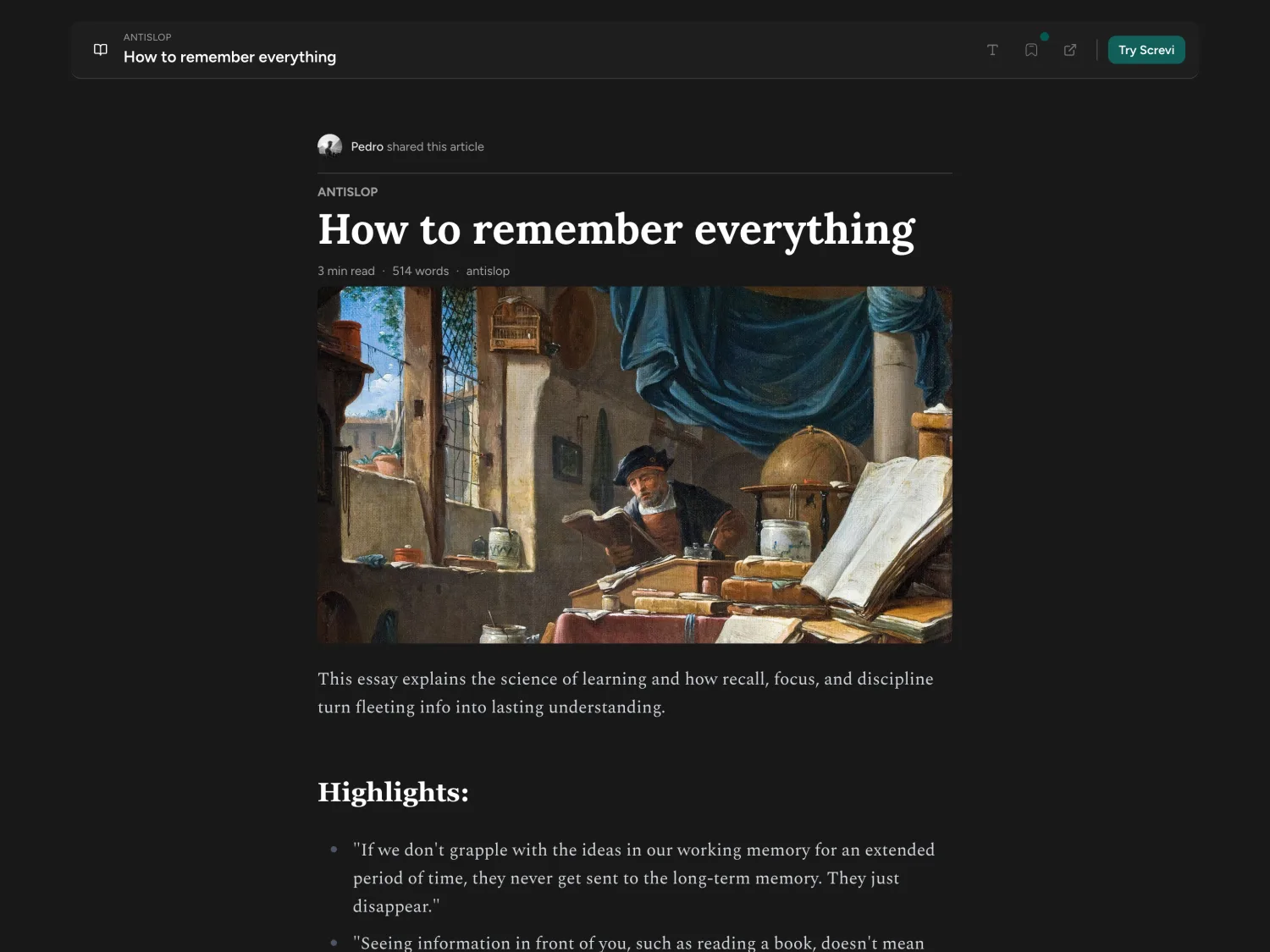
Save & Read Articles
Send anything long to Screvi and read it on a clean, distraction free page. Highlight with one tap and it lands in your library with everything else.
- Web pages and long reads
- Newsletters, via your own inbox address
- RSS feeds
- YouTube transcripts
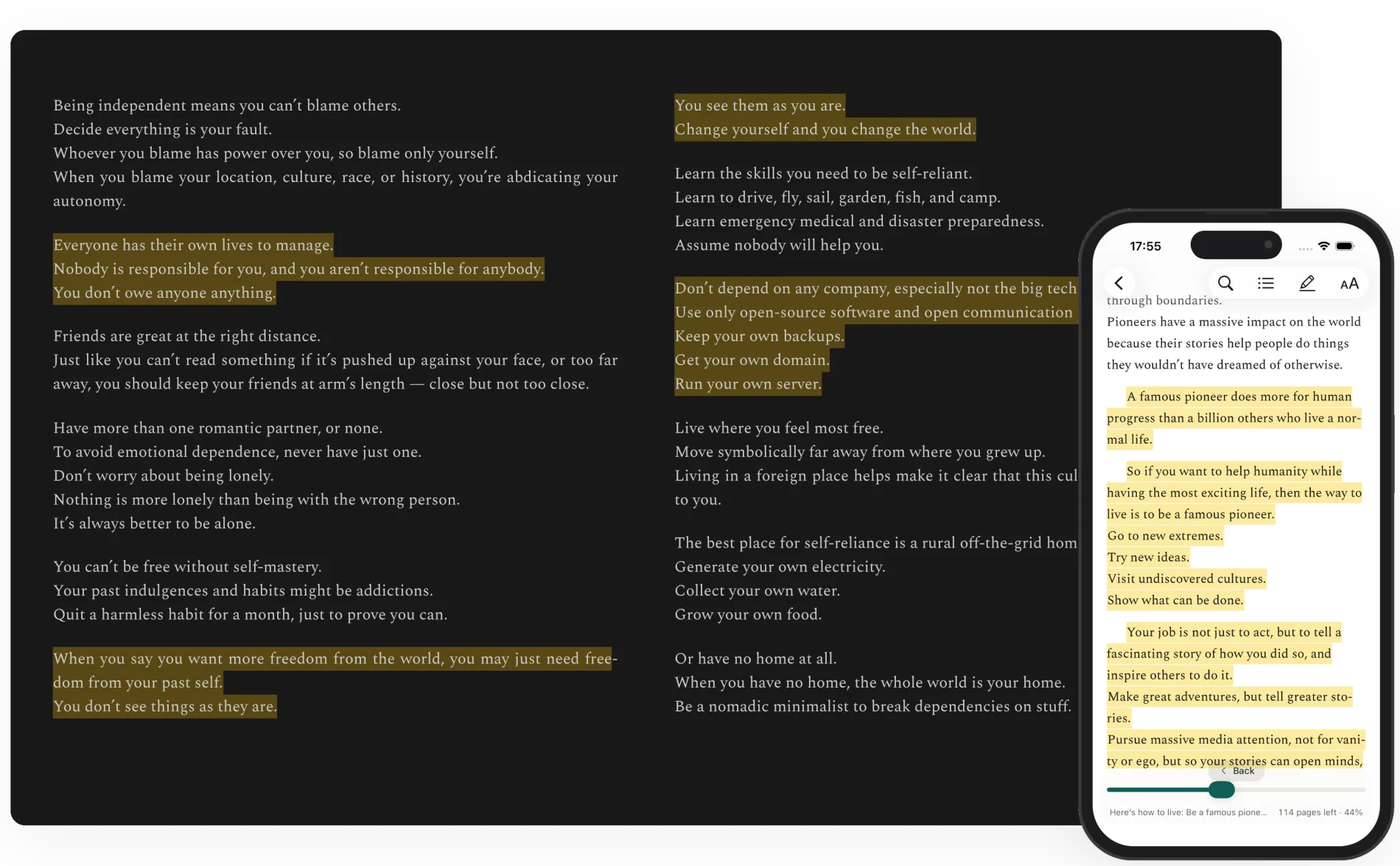
Read your books in Screvi
Upload any DRM-free EPUB and read it in a clean, focused reader. Highlight as you go and everything lands in your library automatically.
Podcasts
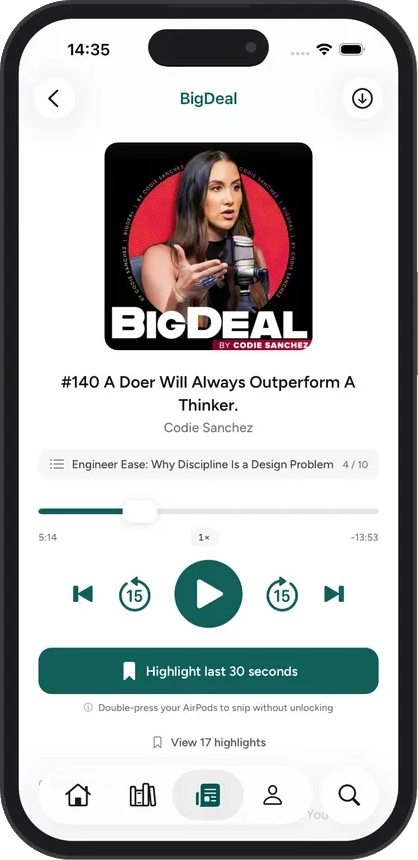
Highlight podcasts as you listen
Follow your favorite shows and play them in the Screvi app. When you hear something worth keeping, tap once and the last 30 seconds become a text highlight.
- One-tap highlights
- AI transcribes the moment into a clean quote. No typing, no scrubbing.
- Hands-free with AirPods
- Double-press your AirPods to snip without unlocking. Works from the lock screen too.
- With the rest of your library
- Podcast highlights are searchable, taggable and show up in your daily review, next to your books and articles.
- A full player
- Follow shows, download episodes for offline, skip by chapter and adjust speed.
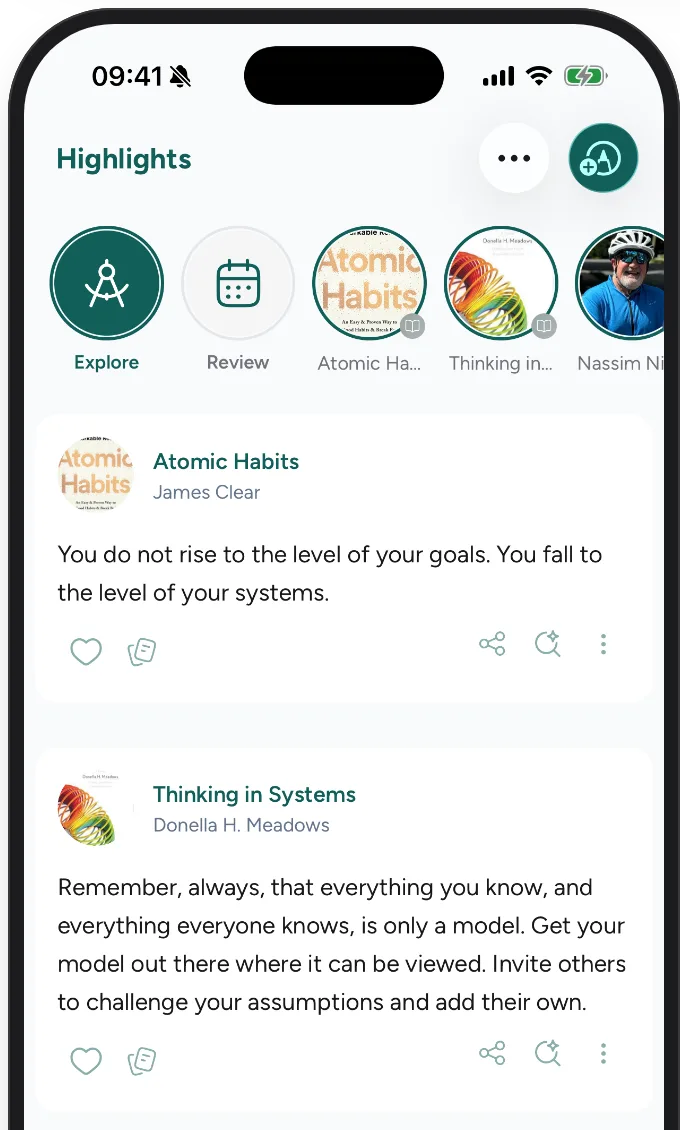
Remember
Daily spaced-repetition review brings your best ideas back, long after you finish.
Replace your Scrolling Habit
Scroll through your best ideas instead of scrolling on social media
And revisit your favorite bookmarks and authors, in a familiar interface.
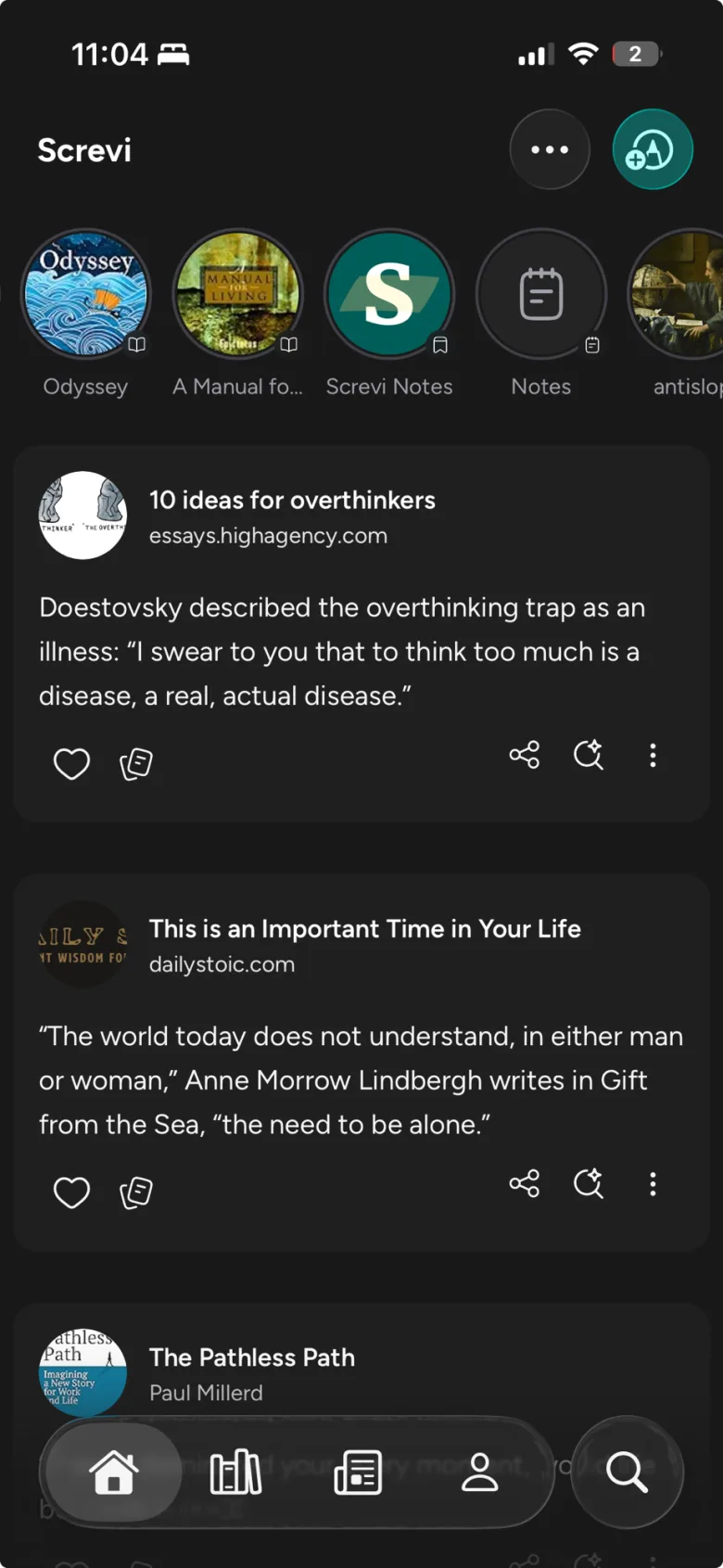
Turn highlights into a knowledge feed
Your highlights as a familiar scrollable feed, with recent sources up top. Re-read your favorite authors and revisit key ideas.
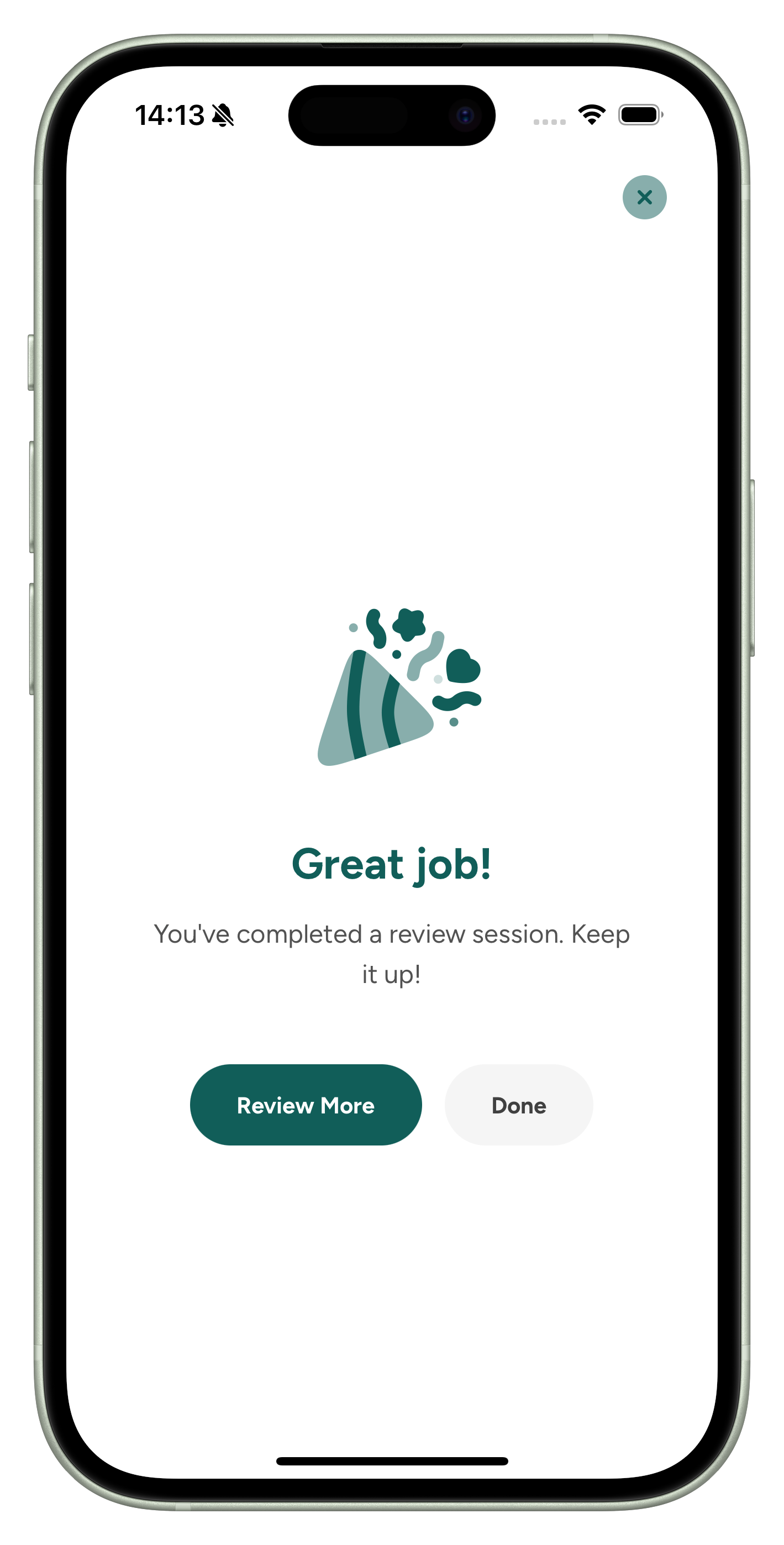
Review with spaced repetition
A daily review brings your highlights back at the right intervals, the science behind Anki, so they stick. In the app, by email or on your home screen.
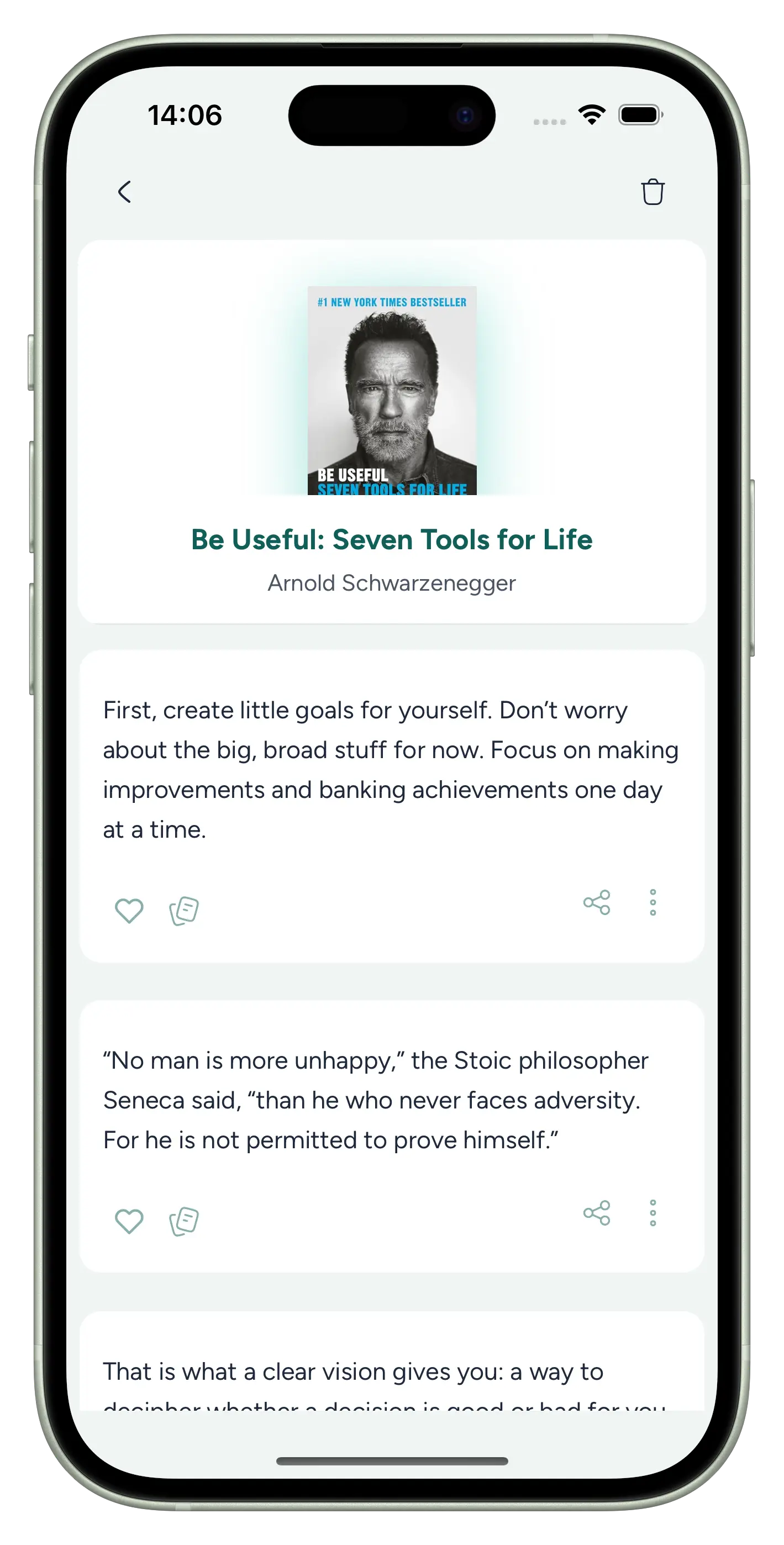
Remember what you read
Regularly scrolling through your personalized stream of insights reinforces your learning and keeps important ideas fresh in your mind, helping you remember all the key ideas from your readings.
Your best ideas, on your home screen
Add the Screvi widget to your phone and a highlight greets you throughout the day. Passive review, no app to open, no habit to build.
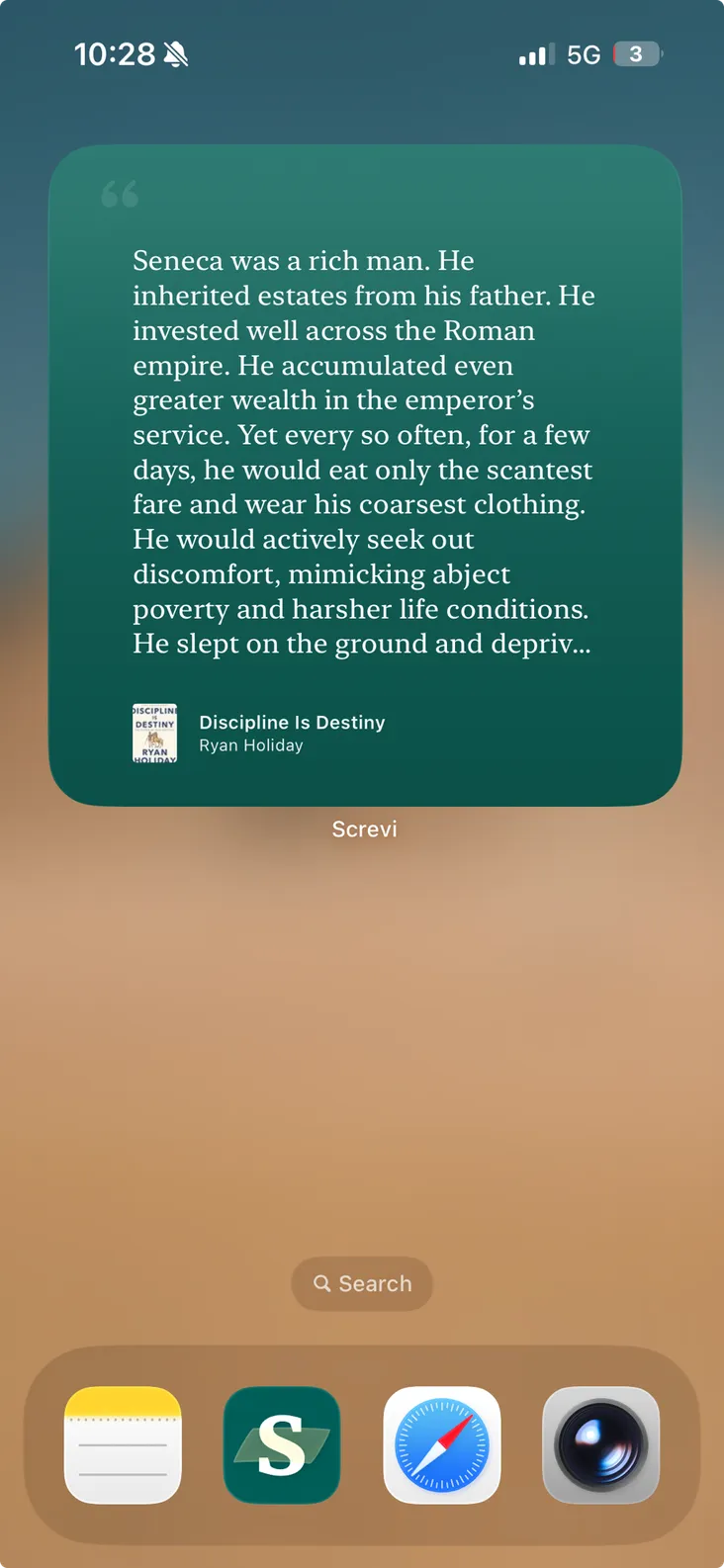
iOS & Android
Add it to your home screen on either platform.
A new highlight all day
The widget rotates through your library, so a fresh idea is always waiting.
Tap to open
Jump straight into the highlight, its source, and your notes in Screvi.
Apply
Find any idea with AI search, then export to Notion, Obsidian or Claude.
Never lose a thought again
With Natural Language Search, you can find the highlights you saved even if you don't remember the exact words.
Perfect for collecting your notes on a subject, whether you're writing articles, scripts, or just brainstorming ideas.
Just search for the topic, idea, or concept you want to find.
Search Your HighlightsChris Williamson Tweets
@ChrisWillx
Here is a list of things that are not doing the thing:
- Preparing to do the thing isn't doing the thing.
- Making a to-do list for the thing isn't doing the thing...

Naval Ravikant
Almanack of Naval Ravikant
When you do just the actual work itself, you'll be far more productive, far more efficient.
Let Claude read your library
Connect Screvi to Claude once and every highlight you have ever saved becomes context. Ask questions, find the half-remembered quote, or draft from your own reading instead of whatever the model was trained on.
Search by meaning
Ask for "quotes about attention residue" and Claude pulls the matching passages from your whole library.
Your notes come too
Highlights arrive with the notes and tags you added, so your own thinking shapes the answer.
You stay in control
Claude can read, and add or edit highlights when you allow it. OAuth through your Screvi login. Revoke anytime.
What Readers Are Saying
What readers say
“What I’ve Been Missing”
Screvi is the app I’ve been missing for years. I read dozens of articles each week and have previously used a combination of an RSS reader and a Read It Later app. But I wasn’t incentivized to highlight because my highlights would effectively disappear into the ether. With the new version of Screvi that includes an article reader, I’ve been able to ditch my Read It Later app completely. Even better, highlighting in Screvi immediately adds what I’ve saved to a feed and a daily review that I can revisit. I’ve been using Screvi daily and would recommend it to anyone.
“A better more affordable Readwise”
A better more affordable Readwise.
“Such a brilliant concept!”
With Screvi, you can not only review and reflect on your Kindle highlights but also reinforce your reading and create a personal, healthy social media experience.
Simple pricing
Every feature and every app. Cancel anytime.
$59.99 billed yearlySave 28%
14 days free. No card. Cancel anytime.
- Find any highlight by what you remember
- Remember more with widgets, daily review and streaks
- Read and listen: EPUBs, PDFs, articles, RSS, YouTube and podcasts
- Import from Kindle, Kobo, Apple Books and more
- Sync to Notion and Obsidian, connect to Claude
- On iOS, Android, web and browser extension
Prefer to pay once? Lifetime access is $299. Get lifetime access
Frequently Asked Questions
What is Screvi?
Think of Screvi as your digital commonplace book: it lets you collect the best ideas and insights you find, and gives you smart tools to help you remember and use them when it matters. It's not another complex "second brain" system. It's designed to be simple, focused, and useful from day one.
How do I get started with Screvi?
You can start using Screvi by signing up for a free 14-day trial. No credit card is required. Complete the onboarding, import your first highlights from Kindle, Kobo, Apple Books, or any other source, and you're ready to go.
What happens to my data if I cancel?
Your data remains in your account. You can still log in and view your highlights, but active features like review, email digests, and AI features require an active subscription. You can also export all your data at any time in HTML or Markdown format.
Can I use Screvi without a Kindle?
Absolutely. Screvi supports many sources: Kobo, Apple Books, PDFs, physical books (via camera scanning), web articles, newsletters, Twitter bookmarks, YouTube videos, manual input, and more. Check our integrations page for the full list.
Is there a limit on how many highlights I can import?
No. All plans include unlimited highlights, sources, and articles. There is no cap on your library size.
Is my data private?
Yes. Your highlights are private to your account. The only way others can see your content is if you explicitly share it. You can also delete all your data or your entire account at any time from Settings.
Is there an Android app?
Yes. Screvi is available on both iOS (App Store) and Android (Google Play), along with the web app, browser extensions, and a macOS desktop app.
Does Screvi support languages other than English?
Yes. Screvi supports highlights in any language. The AI features (search, cleanup, parsing) work best with English but support most widely-spoken languages. Kindle import works across 7 Amazon regional stores (US, UK, Germany, France, Spain, Italy, Brazil).
How does the referral program work?
Share your unique referral link from Settings > Invite. When a friend signs up using your link, they get a free month of Screvi. Once they become an active user (50+ highlights from 10+ sources), you also get a free month. Trial users get 30 extra days; paying subscribers get a $6.99 credit on their next invoice. Rewards stack with no limit.
If you have anything else you want to ask, send an email to main@screvi.com