Top 6 Best Read It Later Apps in 2026
You saved the article. You told yourself you'd read it later.
You never did.
The read-it-later space has been through a rough few years. Pocket, once the dominant player with tens of millions of users, shut down completely in 2025 after Mozilla decided to cut it. Omnivore's cloud service went dark in November 2024 after being acquired by ElevenLabs. The apps people relied on for years are gone or barely holding on.
So what's actually worth using in 2026?
We verified every app on this list is alive and actively maintained before writing a word. Here are the six best options available right now.
1. Screvi
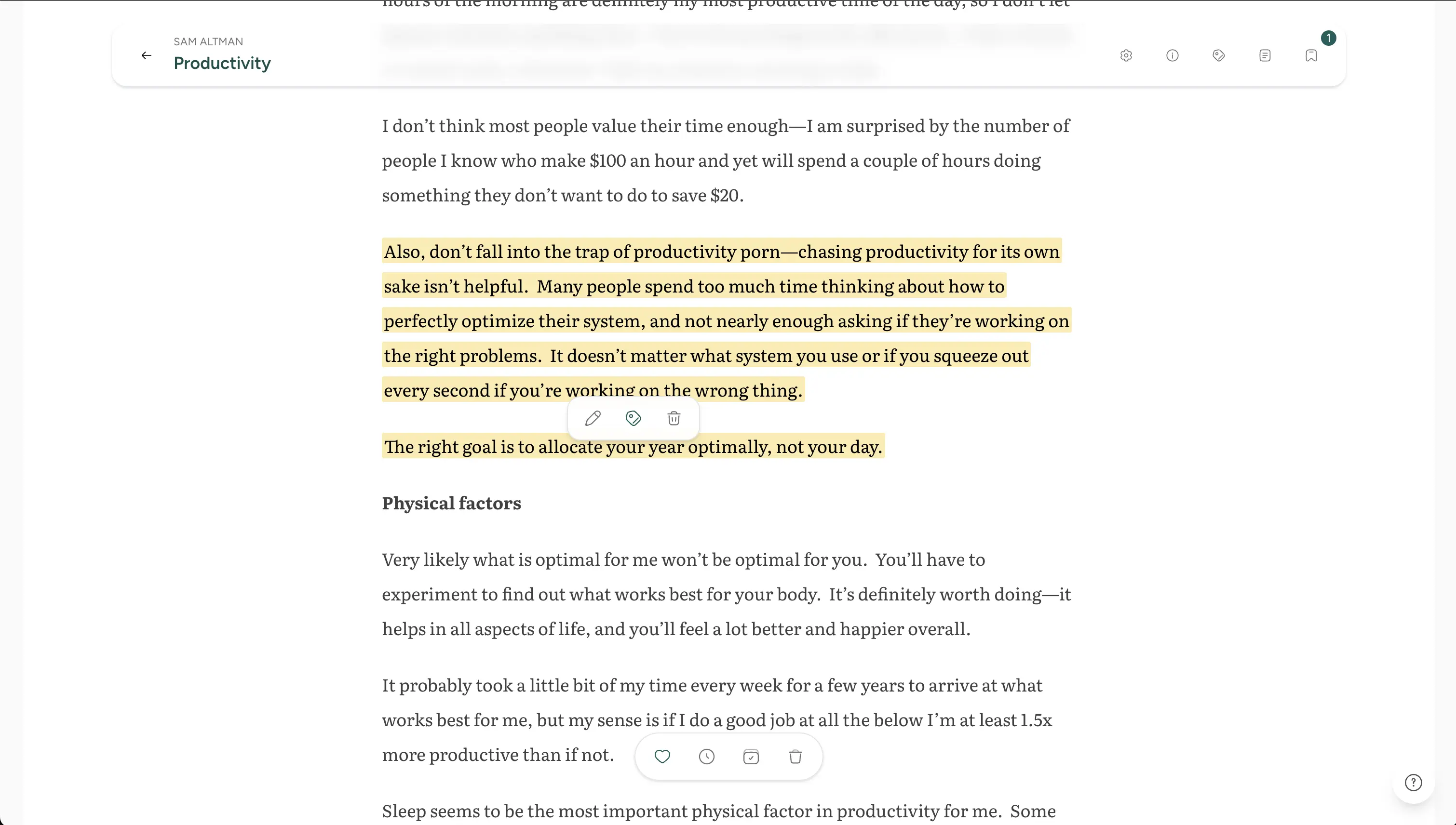
Screvi started as a book highlights manager and has grown into the most complete read-it-later solution available: a single place to save, read, highlight, and actually remember everything you consume.
The article reader is clean and distraction-free. But what separates Screvi from everything else on this list is what happens after you read. Every highlight you make flows directly into your knowledge library (alongside your Kindle notes, book highlights, and YouTube transcripts) and gets resurfaced through spaced repetition at optimal intervals. You don't just save articles. You retain what they taught you.
What makes it stand out:
- Highlighting that goes somewhere. Select text while reading and it joins your full highlight library, ready for spaced repetition review, AI semantic search, tagging, and export.
- Spaced repetition built in. A modified SM-2 algorithm (the same science behind Anki) resurfaces your best highlights at the right intervals. Available in-app, via daily email digest, and on the iOS home screen widget.
- AI-powered semantic search. Ask "what did I save about decision-making under uncertainty?" and get relevant results from articles, books, tweets, and every other source. It searches by meaning, not just keywords.
- Newsletter inbox. Every user gets a personal
@in.screvi.comemail address. Subscribe to newsletters and they arrive directly as articles in your library. - Save from anywhere. Browser extension (Chrome and Firefox), iOS and Android share sheets, paste a URL, or forward an email. YouTube videos are saved with full transcripts and clickable timestamps.
- PDF reader with full highlighting support.
- Works across every platform. Web app, iOS, Android, Chrome/Firefox extension, and a macOS desktop app for Apple Books sync.
- Offline reading on mobile.
Pricing: 14-day free trial (no credit card), then $6.99/month, $59.99/year, or $299 lifetime. All features on every plan.
Best for: Readers who want to do more than save and forget. If you already use Kindle or Kobo and want articles to live in the same workflow as your book highlights, Screvi is the only app on this list that makes that possible.
2. Instapaper
Instapaper has been around since 2008. It practically invented the read-it-later category alongside Pocket. Now that Pocket is gone, Instapaper is the old-guard option for readers who want something simple, focused, and proven. It's currently run by Instant Paper, Inc.
Key features:
- Clean, highly customizable reading experience: adjustable fonts, margins, line spacing, and themes.
- Highlighting and notes on any article.
- Speed reading mode (Spritz-style word-by-word display).
- Folder-based organization and full-text search.
- Send articles directly to your Kindle or Kobo e-reader.
- Daily digest email with a selection from your saved articles.
- iOS and Android apps with offline reading.
Pricing: Free tier with core saving and reading. Instapaper Premium at $2.99/month (or $29.99/year) adds full-text search, unlimited notes, text-to-speech, and speed reading.
Best for: Readers who care most about the reading experience itself: typography, customization, focus. A no-frills app battle-tested for nearly two decades. The Kindle/Kobo send feature is genuinely useful if you prefer reading long pieces on an e-reader.
Consider this: Highlighting exists inside Instapaper and stays there. No spaced repetition, no semantic search, no connection to a broader knowledge system. Great for reading, not for remembering.
3. Matter
Matter is a modern read-it-later app for iPhone, iPad, and web, built by a small team of avid readers. It's earned three Apple "App of the Day" awards and has been actively welcoming users displaced by Pocket's shutdown.
Key features:
- Save articles, threads, PDFs, and YouTube and podcast episodes (with AI transcription to time-synced text).
- Newsletters delivered straight to Matter via Gmail integration or a unique Matter email address.
- Follow writers and RSS feeds to stay current without leaving the app.
- Smooth highlighting: long-press and drag on mobile, no multi-step flow.
- Advanced text-to-speech that turns your reading queue into a playlist.
- Audio highlights: highlight while listening without looking at the screen.
- Quoteshots for sharing beautiful quote images.
- Tagging, offline search, power queuing, and integrations with note-taking tools.
Pricing: Free to get started on iOS. Check the app for current subscription details.
Best for: iPhone and iPad users who want a polished, modern reading experience with audio playback baked in. Matter's audio features are genuinely best-in-class. If you listen to articles while commuting or exercising, nothing else comes close.
Consider this: Matter is primarily an iOS and web product. Android support is limited. Highlights sync to your second brain via integrations, but there's no native spaced repetition.
4. Omnivore (Self-Hosted)
A word of warning upfront: Omnivore's cloud service shut down in November 2024 after the team was acquired by ElevenLabs. The hosted app at omnivore.app no longer exists, and the domain has since been squatted.
However, the open-source codebase lives on. The community has kept it alive at omnivore.work, with self-hosted Docker deployments, iOS and Android apps, and browser extensions still available. If you're comfortable running your own server, the full product still works.
Key features:
- Full open-source codebase (AGPL-3.0), self-hostable via Docker.
- Save articles, newsletters, PDFs, and YouTube transcripts.
- Highlighting and annotation while reading.
- Labels (tags) and filters for organization.
- Full-text search.
- Integrations with Obsidian and Logseq via community plugins.
- Newsletter inbox via unique email address.
- iOS and Android apps, browser extensions for Chrome, Safari, Firefox, and Edge.
Pricing: Free. You host it yourself.
Best for: Developers and privacy-conscious readers who want full control over their data, are comfortable with Docker, and want deep Obsidian or Logseq integration. It's not a casual install.
Consider this: This is not for everyone. If you want something that just works without server maintenance, look elsewhere. The cloud version is gone. What's left is a self-hosting project.
5. Wallabag
Wallabag is the other major open-source read-it-later app, founded in 2013 by a French developer. Unlike Omnivore, it offers both a self-hosted version and a hosted service at wallabag.it for readers who want open-source values without the server setup. All data is hosted in Europe (Hetzner, Germany).
Key features:
- Save articles from any browser or mobile app.
- Clean reader view with customizable display settings.
- Tagging, search, and favorites for organization.
- Import from Pocket, Instapaper, Readability, Pinboard, and Delicious.
- e-reader support (Kindle, Kobo) via built-in epub and PDF export.
- iOS and Android apps.
- Browser extensions for Chrome, Firefox, and Opera.
- Full-text search across your entire library.
- No ads, no data selling. Revenue comes entirely from subscriptions.
- Self-host for free, or use wallabag.it.
Pricing: wallabag.it hosted service: €4 for 3 months, €11/year, or €30/year (supporter tier). Self-hosted version is free and open source.
Best for: Privacy-focused readers who want a simple, reliable tool with EU data hosting and no corporate ownership risk. Also the best migration path if you're coming from Pocket. Wallabag imports Pocket exports directly and has published a dedicated migration guide.
Consider this: No spaced repetition, no AI features, no built-in newsletter inbox. Wallabag is deliberately minimal. It saves and presents articles well, and that's the whole product.
6. Readwise Reader
Readwise Reader is the read-it-later app built by the team behind Readwise, arguably the most powerful highlight review system available. Reader was designed from scratch to be the app that serious readers had always wanted, and it shows. It handles every type of content in one place: articles, newsletters, PDFs, EPUBs, YouTube transcripts, RSS feeds, and Twitter threads.
Key features:
- Save everything to one place: articles, newsletters, PDFs, EPUBs, YouTube (with transcript), RSS feeds, Twitter/X threads.
- Powerful highlighting with support for images, tables, and rich text, not just plain text.
- "Ghostreader": an AI copilot built into the reader. Ask questions, define terms, simplify complex passages, generate summaries.
- Text-to-speech with natural-sounding voices.
- Full keyboard navigation for power readers.
- Blazingly fast full-text search, including offline.
- Triage-style inbox for managing reading overload.
- Deeply integrated with Readwise: every highlight automatically syncs to Readwise and from there to Obsidian, Notion, Roam Research, Logseq, Evernote, and more.
- Daily review resurfaces highlights using spaced repetition via Readwise.
- Local-first web app, iOS, and Android.
Pricing: 30-day free trial, then requires a Readwise subscription. Readwise Full (which includes Reader) is $12.99/month or $9.99/month billed annually ($119.88/year).
Best for: Power readers who already use or want to use a note-taking tool like Obsidian or Notion. The Readwise integration is unmatched. If you want highlights from articles to flow automatically into your PKM system with zero friction, nothing comes close.
Consider this: The price is higher than most on this list since it bundles the full Readwise highlights system. If you only want a read-it-later app and don't care about the PKM integration pipeline, the value proposition is weaker. It also doesn't have a native spaced repetition experience within the reader itself. That lives in the separate Readwise app. If the price is the sticking point, here's why Screvi is the best Readwise alternative for managing highlights.
How to choose
Just want to save and read articles? Instapaper has been doing that reliably since 2008. Simple, polished, affordable.
iPhone user who wants audio? Matter's text-to-speech and audio highlighting are best-in-class.
Privacy-first with EU data hosting? Wallabag.it is the clear answer: open-source, cheap, no corporate risk.
Developer who wants full control? Self-hosted Omnivore gives you everything, if you're willing to run the server.
Want your article highlights to flow into Obsidian or Notion automatically? Readwise Reader + Readwise is the most powerful pipeline available.
Want everything in one place, articles and book highlights together, with spaced repetition and AI search built in? Screvi is the only app on this list that treats articles as part of a complete knowledge workflow rather than an isolated reading pile.
Most read-it-later apps solve the saving problem. Fewer solve the reading problem. Almost none solve the remembering problem. That's the gap that actually matters.