How to Connect Claude to Your Screvi Highlights
Here's how to give Claude access to every highlight in your Screvi library. It takes about 30 seconds and costs nothing.
Why bother
I have seven years of reading sitting in Screvi. Kindle highlights, Kobo notes, underlined passages from physical books, tweets I bookmarked, YouTube moments that stuck with me, lines from articles I meant to revisit. Thousands of them.
And most of the time, they just sit there. I save a quote, move on, and never see it again unless I go digging for it.
Plugging Screvi into Claude is what changes that. Your highlights stop being a pile you don't open and become material Claude can reach for while you're actually thinking about something, a blog post you're drafting, an argument you're refining, a half-remembered quote from a book you read two years ago. The stuff you already decided was worth saving starts getting used.
You can already do most of this inside Screvi itself. The search bar runs semantic queries across your library and pulls the same highlights back. What Claude adds on top is reasoning. Grouping by theme, drafting prose, finding tensions between quotes, turning raw search hits into something you can actually use. Screvi finds the material, Claude helps you think with it.
The setup
Open claude.ai/settings/connectors and click Add custom connector. Name it Screvi, paste https://api.screvi.com/mcp into the MCP Server URL field, and hit Add. Claude sends you to Screvi to authorize. Log in, approve, and you're done.
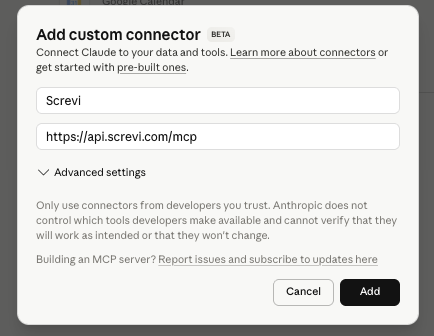
That's the whole setup. Claude can now read your entire library. If you also approve write access on the consent screen, it can save articles, add tags and organize your library too.
What to do with it
The fun starts when you ask Claude something that would be tedious to answer yourself.
What have I highlighted about pricing? Group by theme, include the source.
Claude pulls the relevant highlights, groups them, and cites the books or articles they came from. The quotes are real. They come from your library, not from Claude's training data.
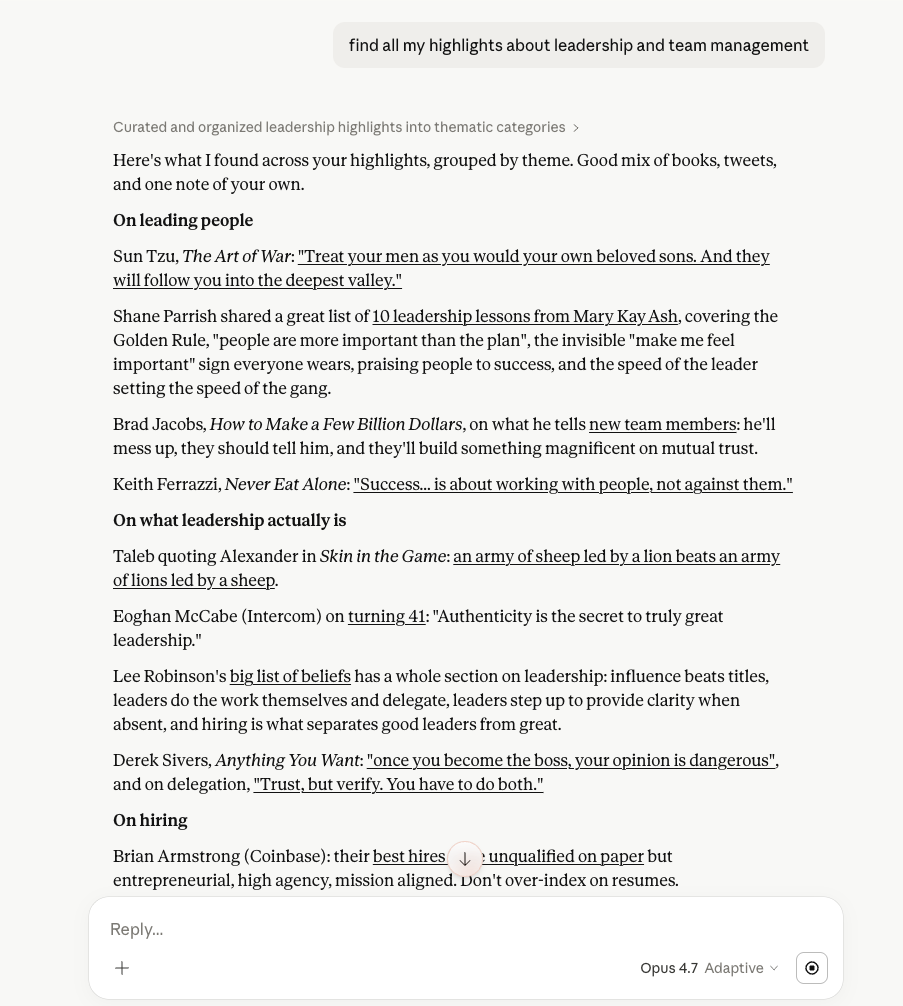
A few more prompts I've gotten a lot out of:
- "Find contradictions across the business books I've read."
- "Draft a blog post about deep work using only ideas I've already highlighted."
- "I half-remember a quote about rivers and attention from a couple of years ago. Find it."
- "What have I saved that pushes back on the idea that most productivity systems are a waste of time?"
Each one uses something that was already in the library, just buried. The years of reading start pulling their weight instead of sitting in an archive.
How it works
Screvi exposes an MCP server, the open standard Anthropic (and other AI tools) use to connect assistants to external data. Authorization goes through OAuth 2.0 with PKCE, so your password never leaves Screvi. Claude can always search and read your highlights. Saving, tagging and organizing is a separate permission you approve on the consent screen, so nothing changes in your library unless you allowed it. If you want to turn it off, disconnect the connector from Claude's settings or revoke it in Screvi under Settings > API.
Try it
The connector is included with Screvi. If you already have an account, you're about 30 seconds away from a much more useful Claude. If you don't, start a free trial and bring in some highlights first. The more you have in there, the more Claude has to work with.