The Screvi Features You Should Be Using in 2026
I read a lot, and for years I had nothing to show for it. Highlights scattered across a Kindle, a few notebooks, and three different apps, all collecting dust.
Screvi is the fix: one place that collects every highlight and actually helps you use it. Here are the features that do the heavy lifting.
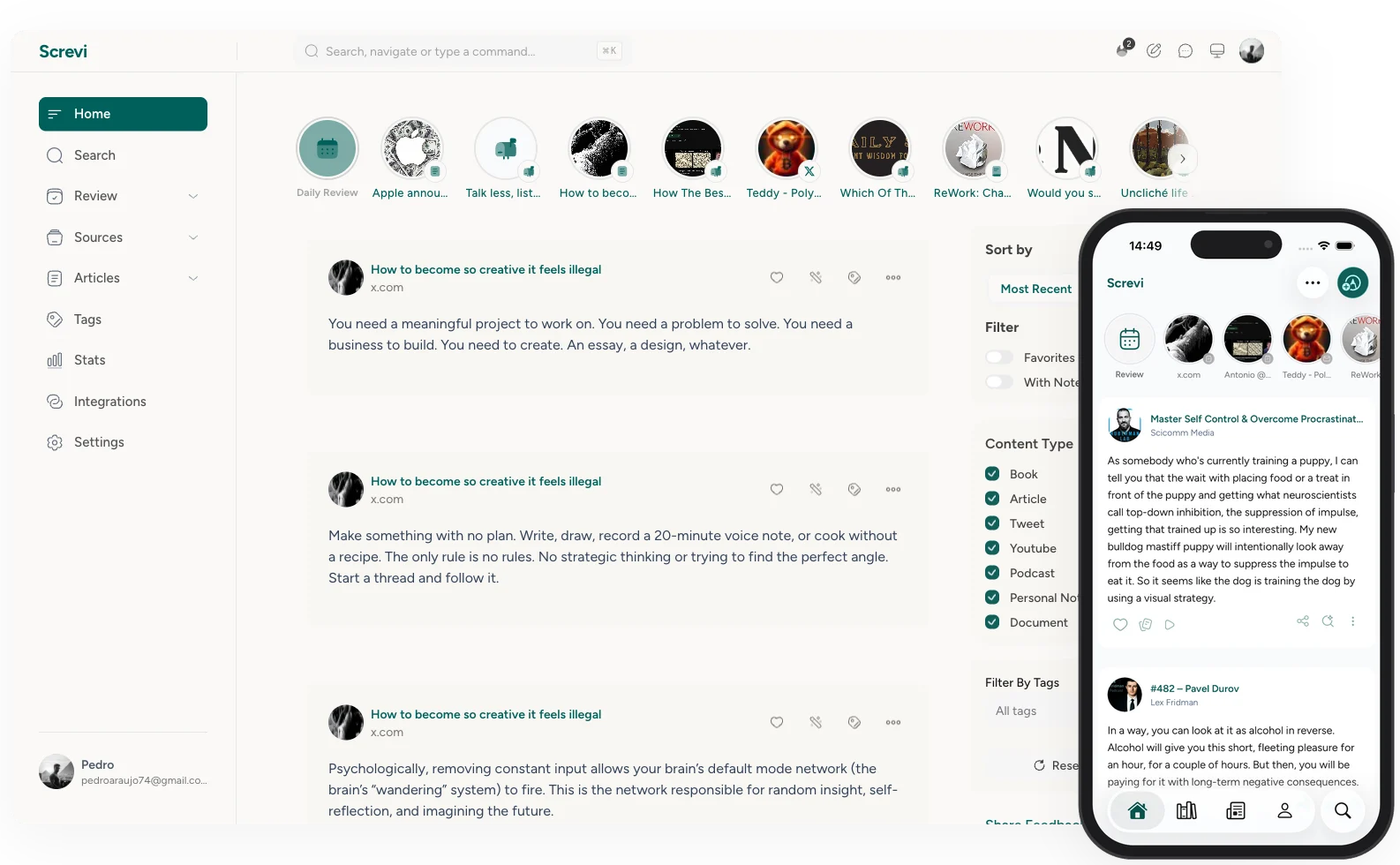
1. A feed of your own best ideas
Screvi opens to a feed of everything you've highlighted, not a to-do list, a stream of your own thinking. Switch the order to random and old gems resurface alongside recent saves, the way a social feed surfaces posts, except every line is something you already cared about. The Stories row up top lets you dip back into any single source, and you can filter by type, source, or tag to find a thread.
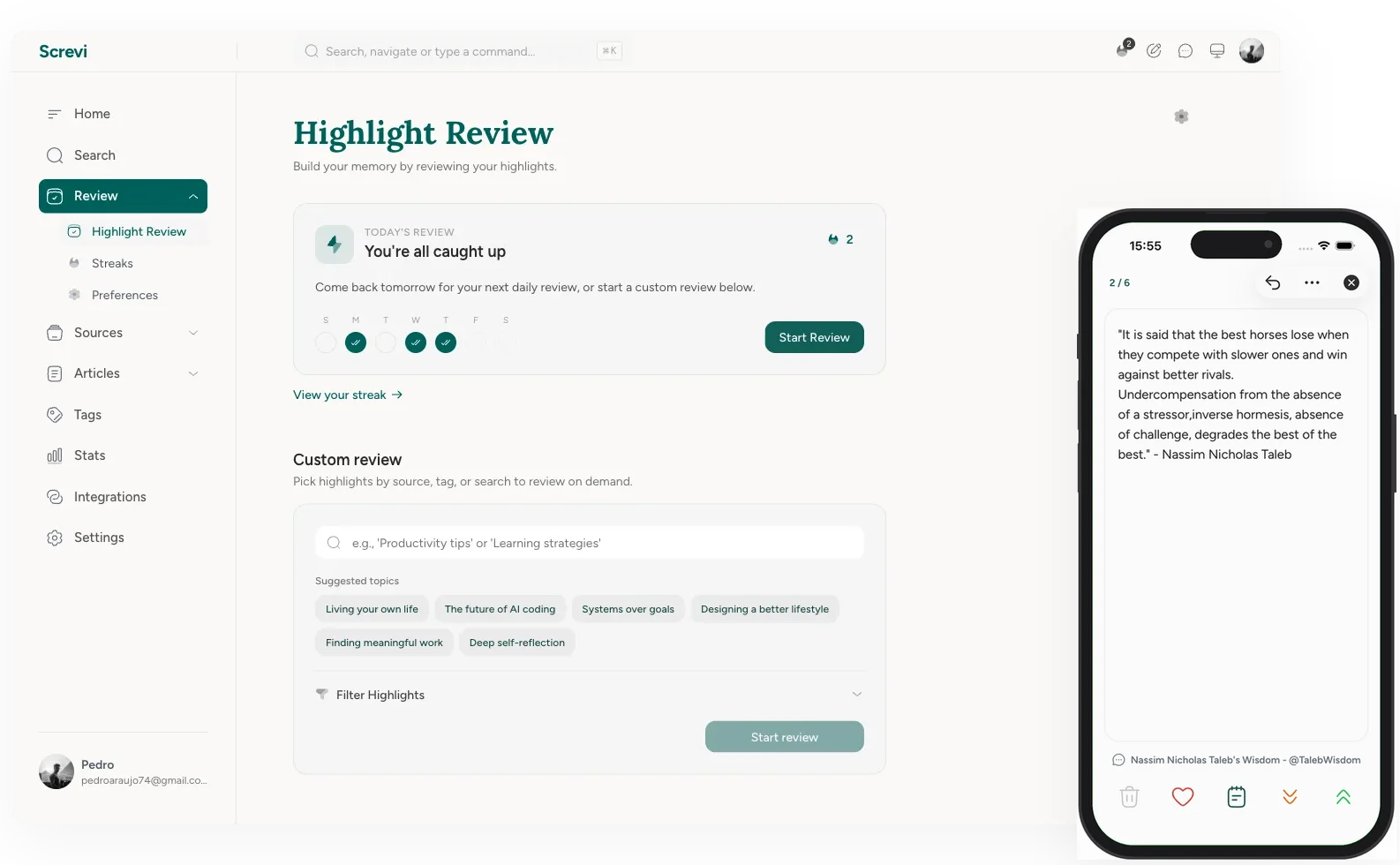
2. Daily Review with spaced repetition
Screvi resurfaces your highlights on a spaced-repetition schedule, Anki-style, so the ideas worth keeping come back right before you'd forget them.
You stay in control of each one: see it more often, less often, or never again. Review in the app, swipe through them on mobile, or get them by email. There's even an iOS widget that nudges you when a review is ready. Turn on review reminders in Preferences so a daily nudge keeps the habit going.
3. AI semantic search
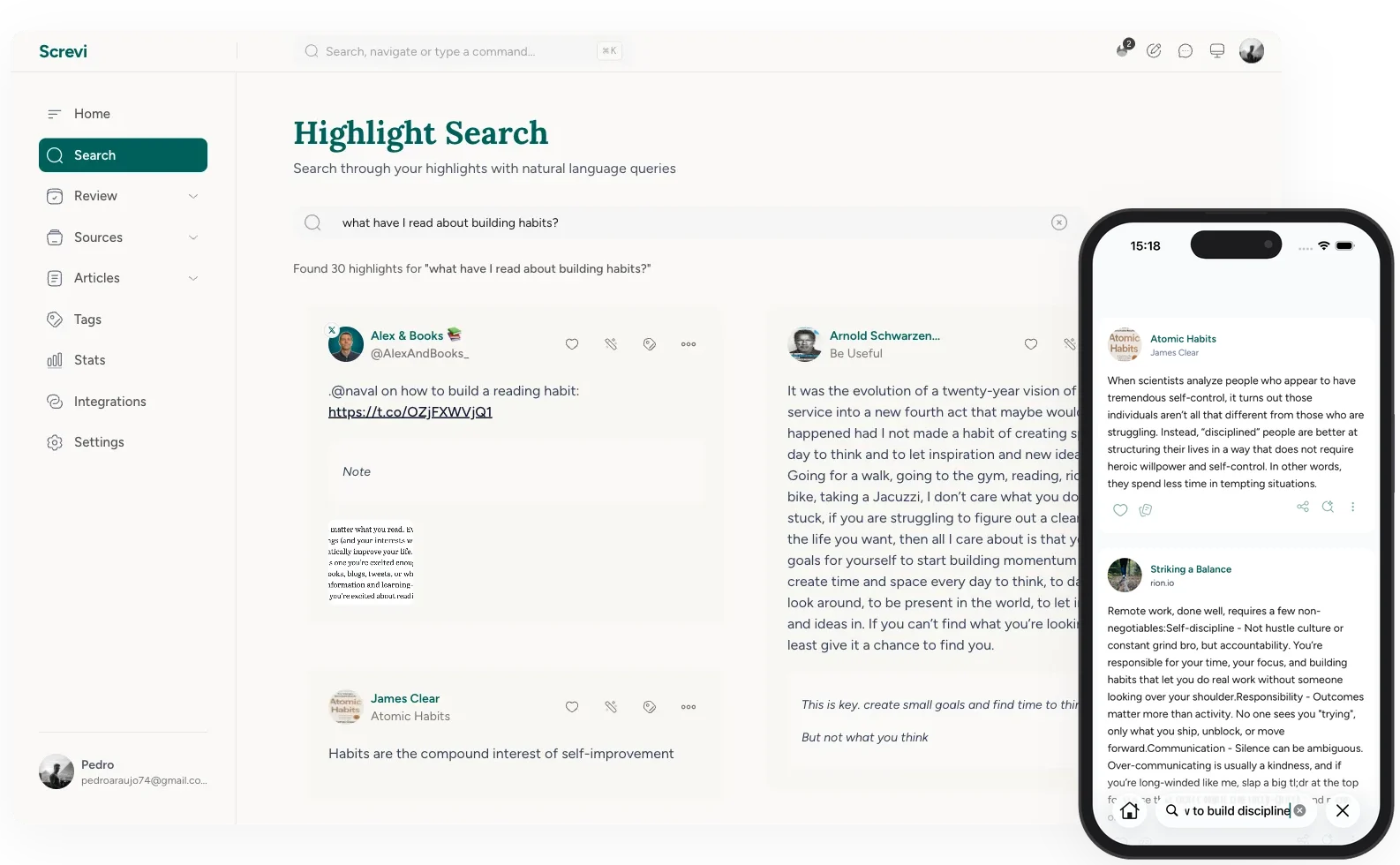
Keyword search fails the moment you forget the exact words. Semantic search doesn't.
Ask "what have I read about building habits?" and Screvi finds the right highlights, even the ones that never use the word "habit." It searches by meaning, across every book, tweet, and article you've saved.
4. Ask Claude about your own highlights
Connect your library to Claude through the Screvi MCP server, and you can ask it about everything you've ever highlighted.
Draft an essay with real quotes from your reading. Pull every note you saved on a topic. Search your library in plain language, straight from Claude. Your highlights stop being a graveyard and become a source you can actually write from.
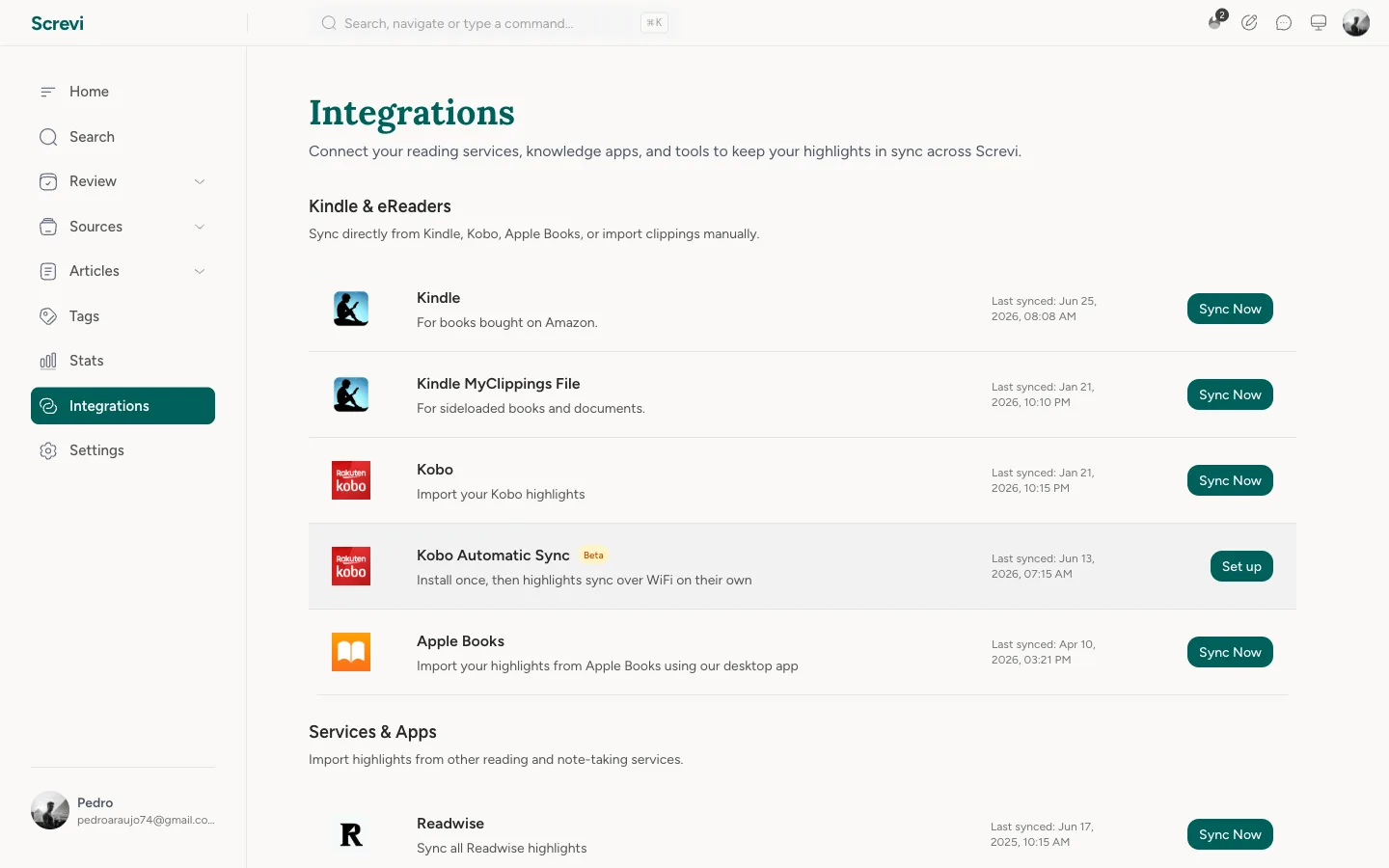
5. Sync highlights from Kindle, Kobo, and Apple Books
Your ebook highlights belong to you, so Screvi pulls them all in. Kindle syncs automatically every 24 hours via the extension or app. Kobo highlights import from your device file. Apple Books syncs through the macOS desktop app.
Coming from another tool? Screvi imports your whole Readwise library too, so nothing gets left behind. And you don't even need to own the book: search any title and import its most-highlighted passages to start from what other readers loved.
6. Capture physical book highlights with your camera
Paper books are the hardest highlights to capture.
Snap a photo of a page in the iOS or Android app, and Screvi's AI reads the highlighted lines and digitizes them automatically. The passages you mark in print end up in the same library as everything else.
7. Save and read anything, with AI summaries
Screvi is also a read-it-later app. Save web articles, newsletters, PDFs, and YouTube transcripts, then read them in a clean, distraction-free reader with an inbox-and-archive workflow.
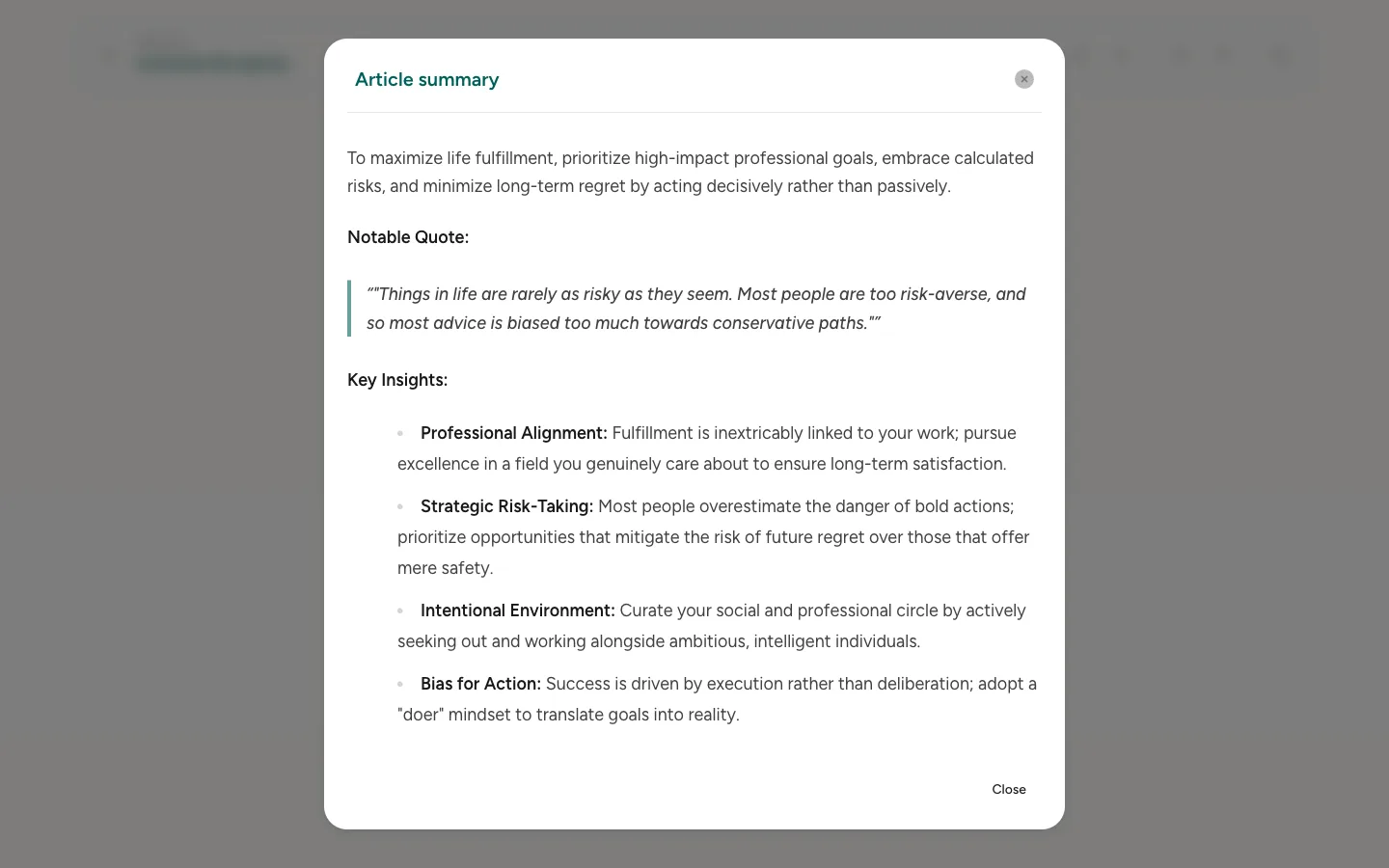
Two things make it stick: you can highlight as you read, and every article comes with an AI summary so you can get the gist before you commit, or refresh it after.
8. Save any social post by sharing the link
Read something great on X, Reddit, or Hacker News? Share the link to Screvi and the whole post lands in your library as a clean, highlightable article. On iOS and Android it's right in the share sheet; on the web, just paste the URL. And if you live on X, you can import all your existing bookmarks in one go.
9. Read your ebooks, highlighting as you go
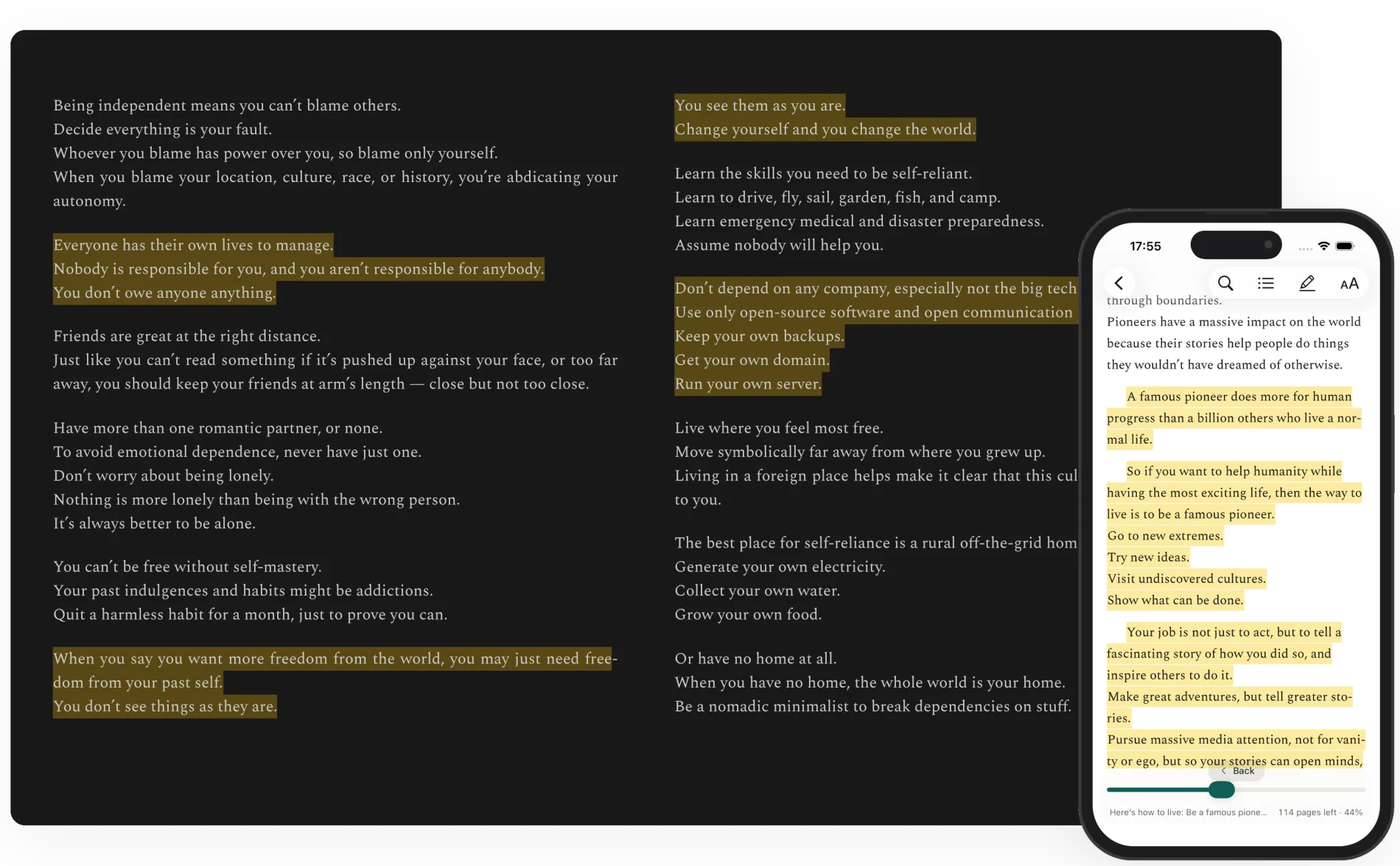
Screvi isn't only for highlights you import, it's a full epub and PDF reader. Drop in an ebook and read it in a clean, paginated reader, highlighting passages as you go. Every highlight lands in your library next to everything else, ready for review, search, and export.
10. Your own personal newsletter inbox
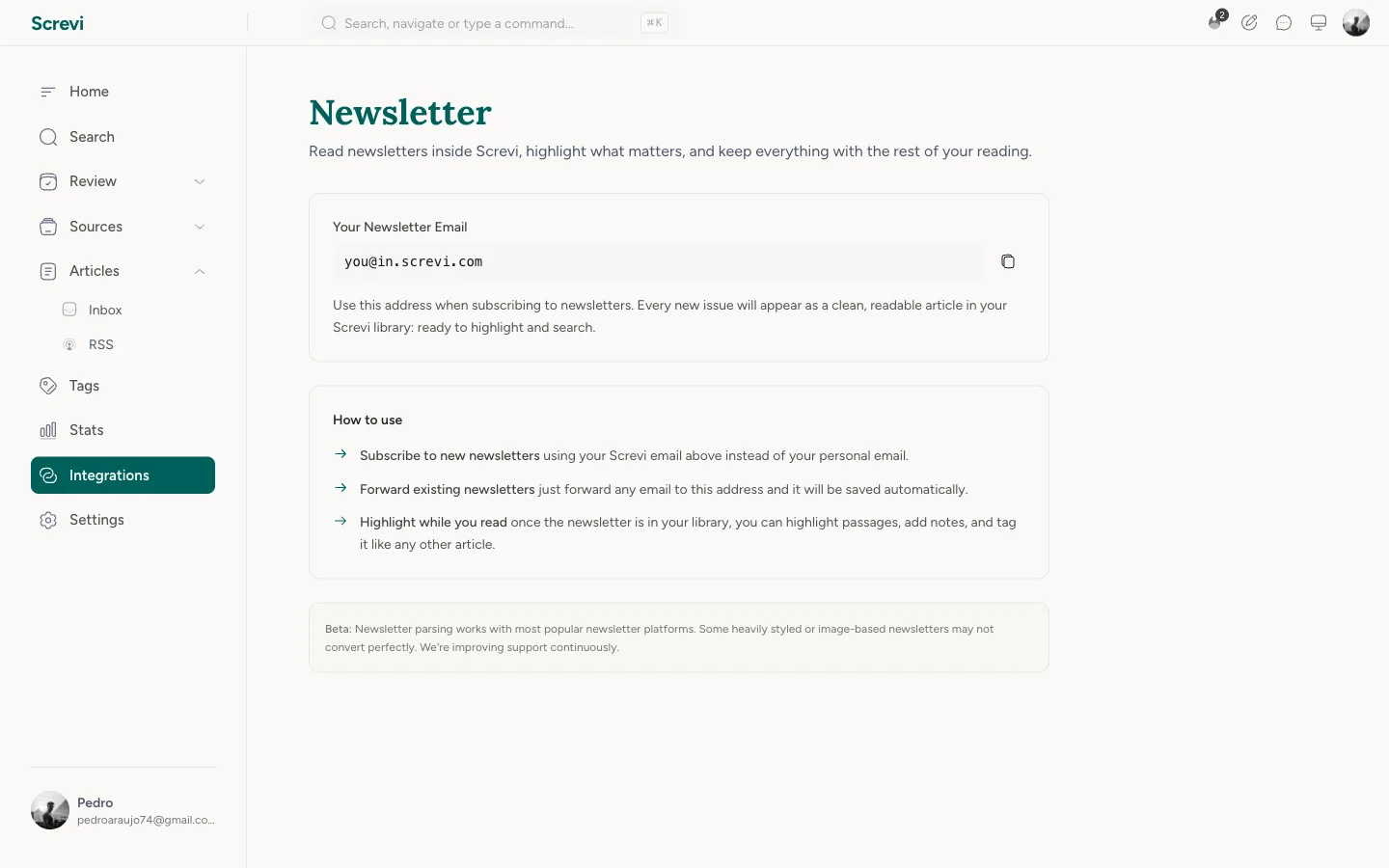
Newsletters get buried in your email. Screvi gives you a unique @in.screvi.com address instead. Subscribe with it, and every issue lands in your library as a clean, readable article instead of cluttering your email.
Tracking pixels and unsubscribe footers get stripped out, the sender is detected automatically, and the full text is searchable, highlightable, and taggable like anything else you save.
11. Subscribe to any RSS feed
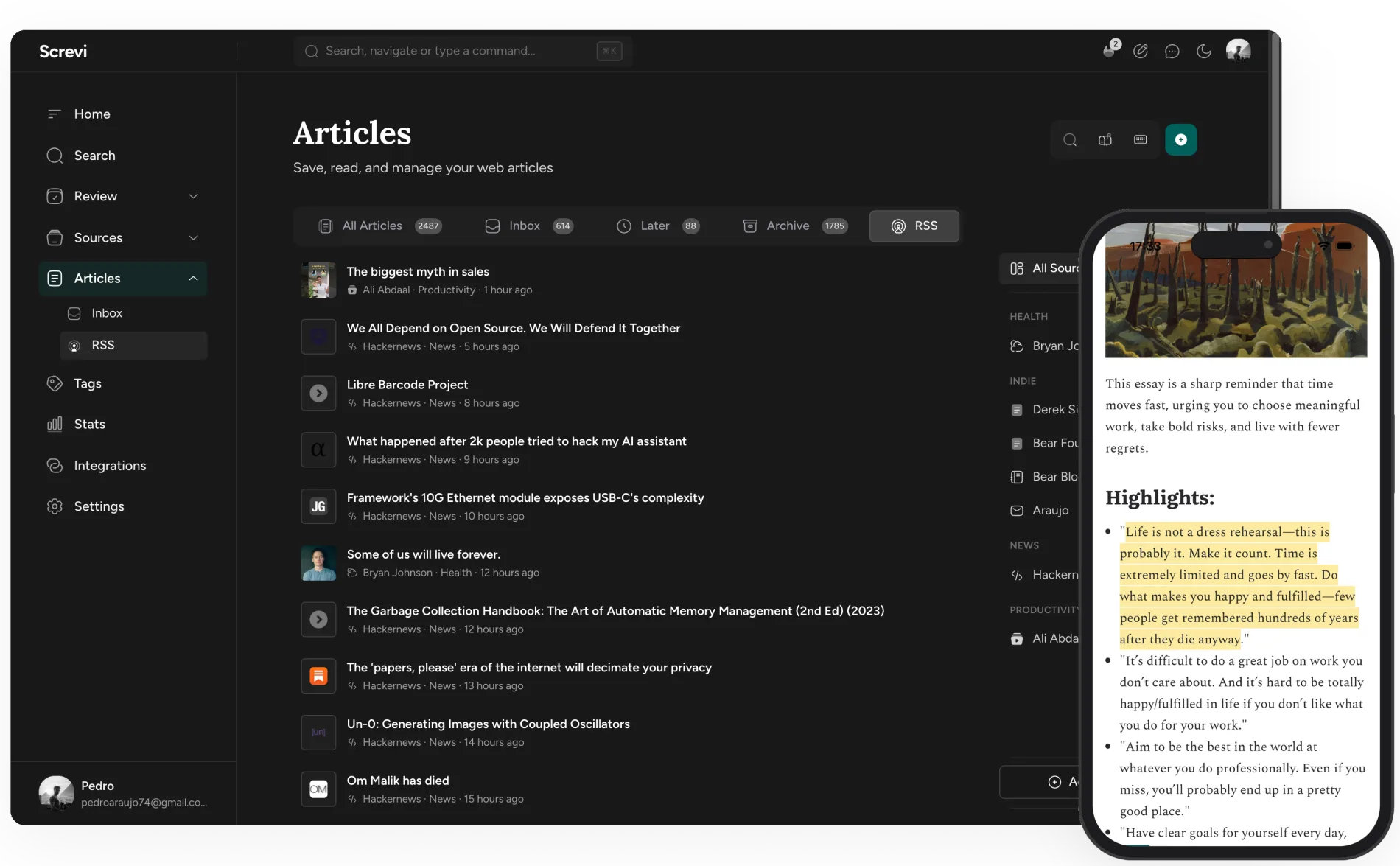
Build your own reading feed instead of chasing links. Paste in any RSS feed URL and Screvi follows the writers and sites you care about for you.
New posts show up alongside the rest of your reading, ready to save, summarize, and highlight.
12. Share an article, highlights and all
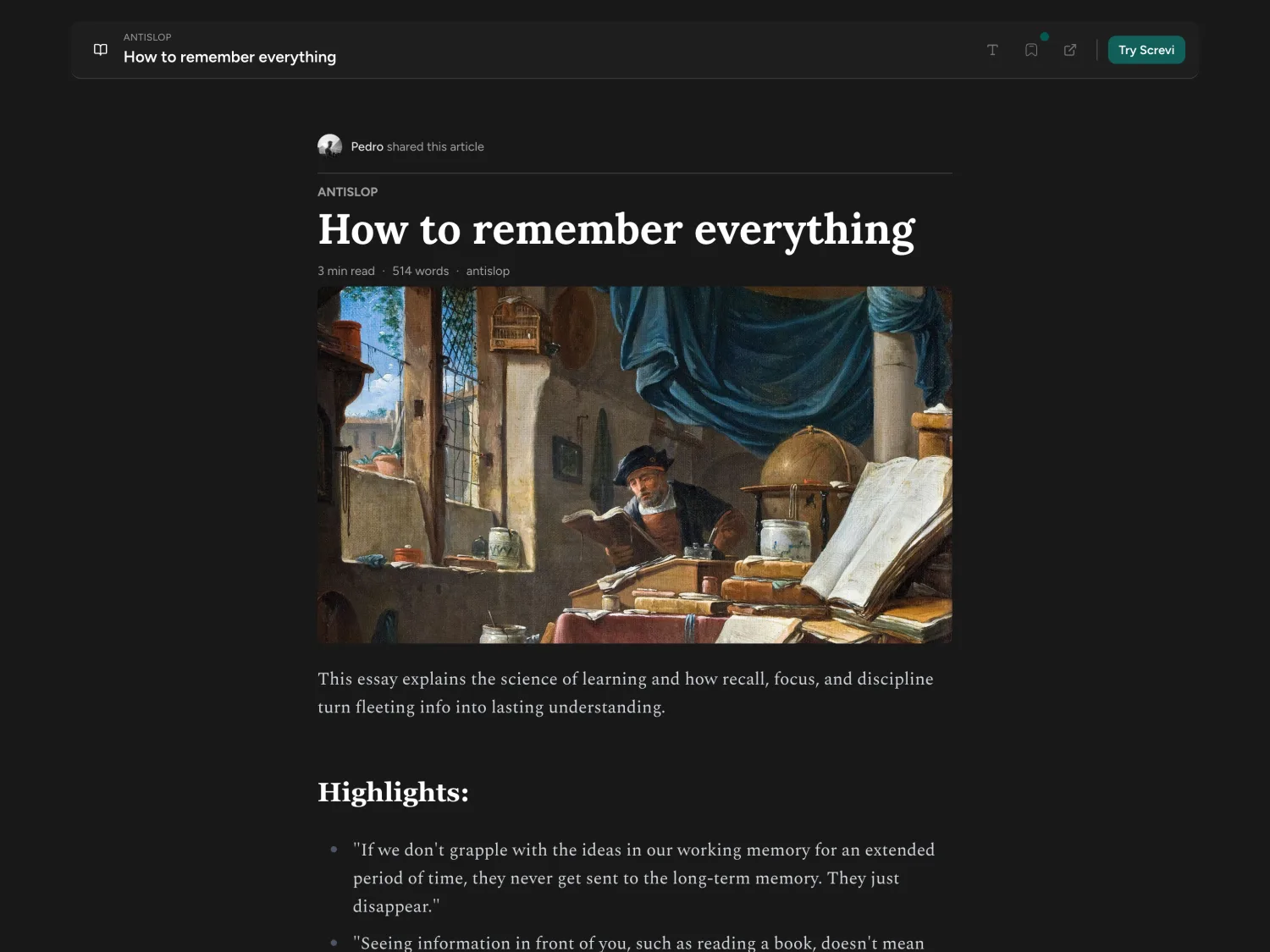
Found something worth passing on? Share any article you've saved as a public link, your highlights included. Anyone can open it in a clean reader with no account, see exactly what you marked up, and if they're on Screvi, save it to their own library in a tap. Here's one to look at.
13. Fly through it with keyboard shortcuts
Screvi is built for the keyboard. Hit ⌘K (or Ctrl+K) anywhere to open the command bar, search, jump to any page, or run an action without reaching for the mouse. Press ? to see every shortcut. Once they're in your fingers, capturing, reviewing, and tagging barely breaks your flow.
14. Export anywhere: Obsidian, Notion, Markdown
Your highlights are yours, so Screvi makes them easy to take with you. The official Obsidian plugin syncs straight into your vault. Notion export is in beta. You can also export everything as Markdown or HTML, Apple Notes friendly, delivered as a ZIP organized by source.
Screvi works as the hub: pull your reading in from everywhere, send your highlights wherever you need them.
15. Highlight straight from the podcast player
Screvi has a podcast player too (on iOS and Android, in beta). Listen inside the app, and when a line lands, tap "Highlight last 30 seconds" to save it straight to your library instead of scrubbing back to find it later. You can even double-press your AirPods to snip without unlocking.
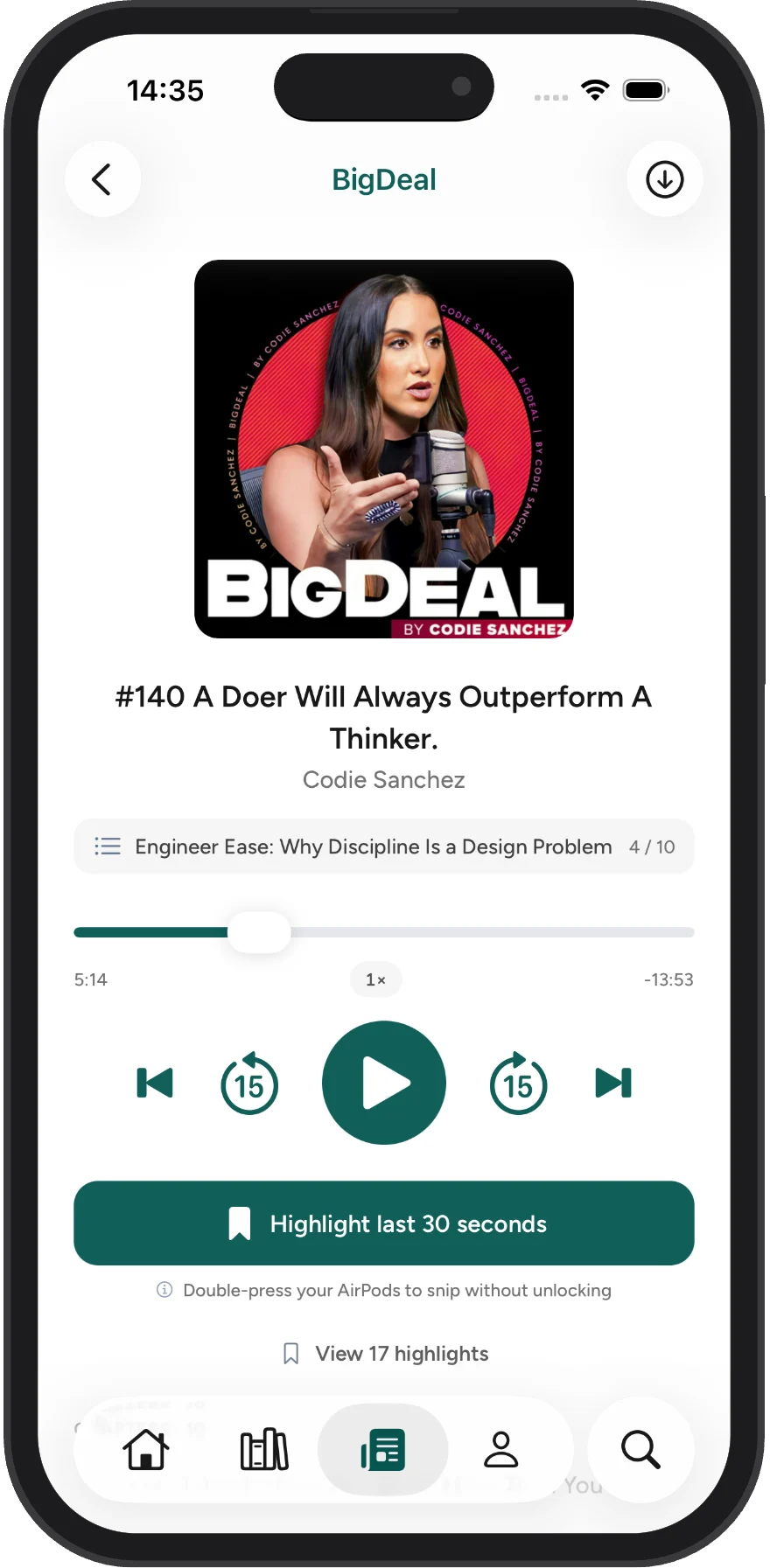
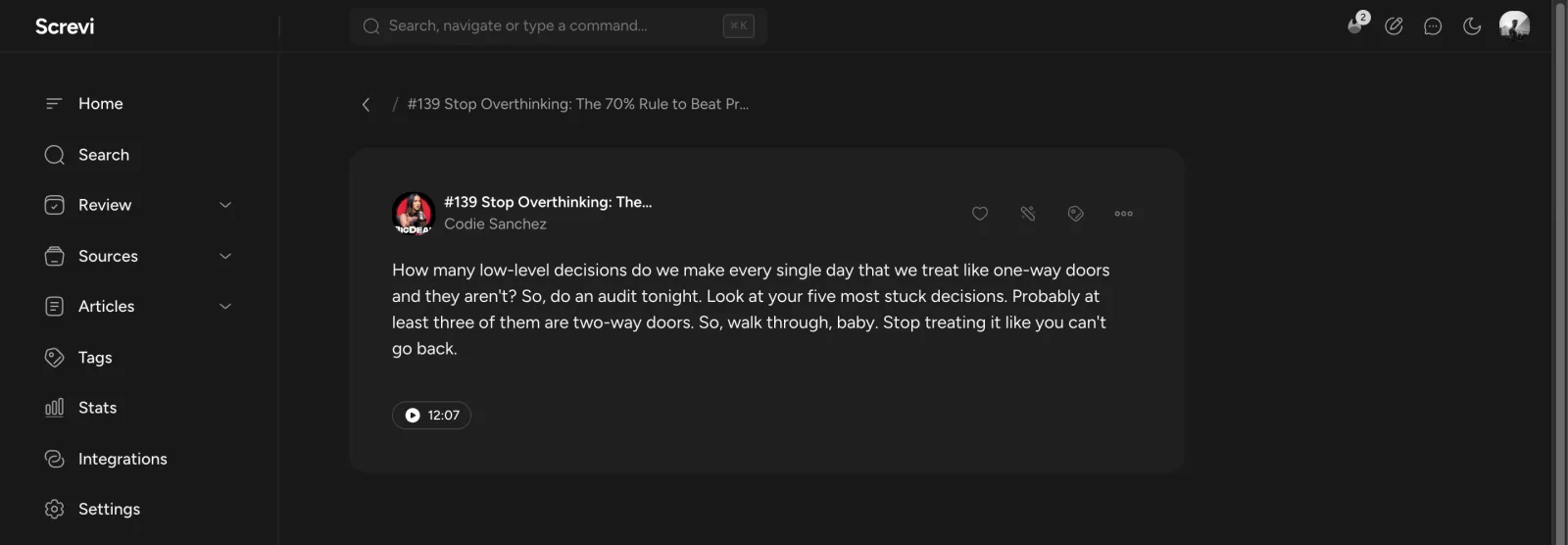
Every snippet keeps its audio. The highlight saves with the exact moment attached, so you can press play and hear that line again any time, even from the web app, long after the episode is over.
Try them yourself
The features only matter once your own highlights are inside. Import yours and start for free, then see which one you can't live without.
Screvi runs everywhere: get it on the App Store, Google Play, or right in your browser.