Introducing Screvi Reader
Save the web. Read deeply. Remember what matters.
Introducing the Screvi Reader: a clean, distraction‑free place to save and read the articles you care about, then turn insights into highlights that stay with you.
If you already use Screvi to organize your book highlights, the Reader brings the rest of your learning pipeline under the same roof. Every highlight you make from an article flows directly into your Screvi library, ready for spaced review, search, and export.
Note: Screvi Reader is currently in beta. Feedback and suggestions are very welcome and important at this stage: share thoughts via the contact page or Featurebase.
Why build a Reader?
Most read‑it‑later tools help you finish more articles. Screvi helps you learn from them. The Reader connects reading to retention so your time spent online compounds.
This has been a top request from the community: featured on the public feedback board at Featurebase.
The ultimate goal is simple: Screvi as your personal knowledge hub, helping you save and learn from everything you read, without it feeling like a second job.
Save from anywhere
Add content to Screvi and it’s ready to read in a beautiful, typography‑first interface:
- Web Articles: Save long‑form pieces to read without clutter.
- Newsletters: Keep the issues you want to study in one place.
- Pocket Import: Bring your saved links into Screvi effortlessly.
- YouTube Videos: Read from transcripts and pull highlights from what you watch.
- Read Offline: Your saved content is available even when you’re away from the internet.
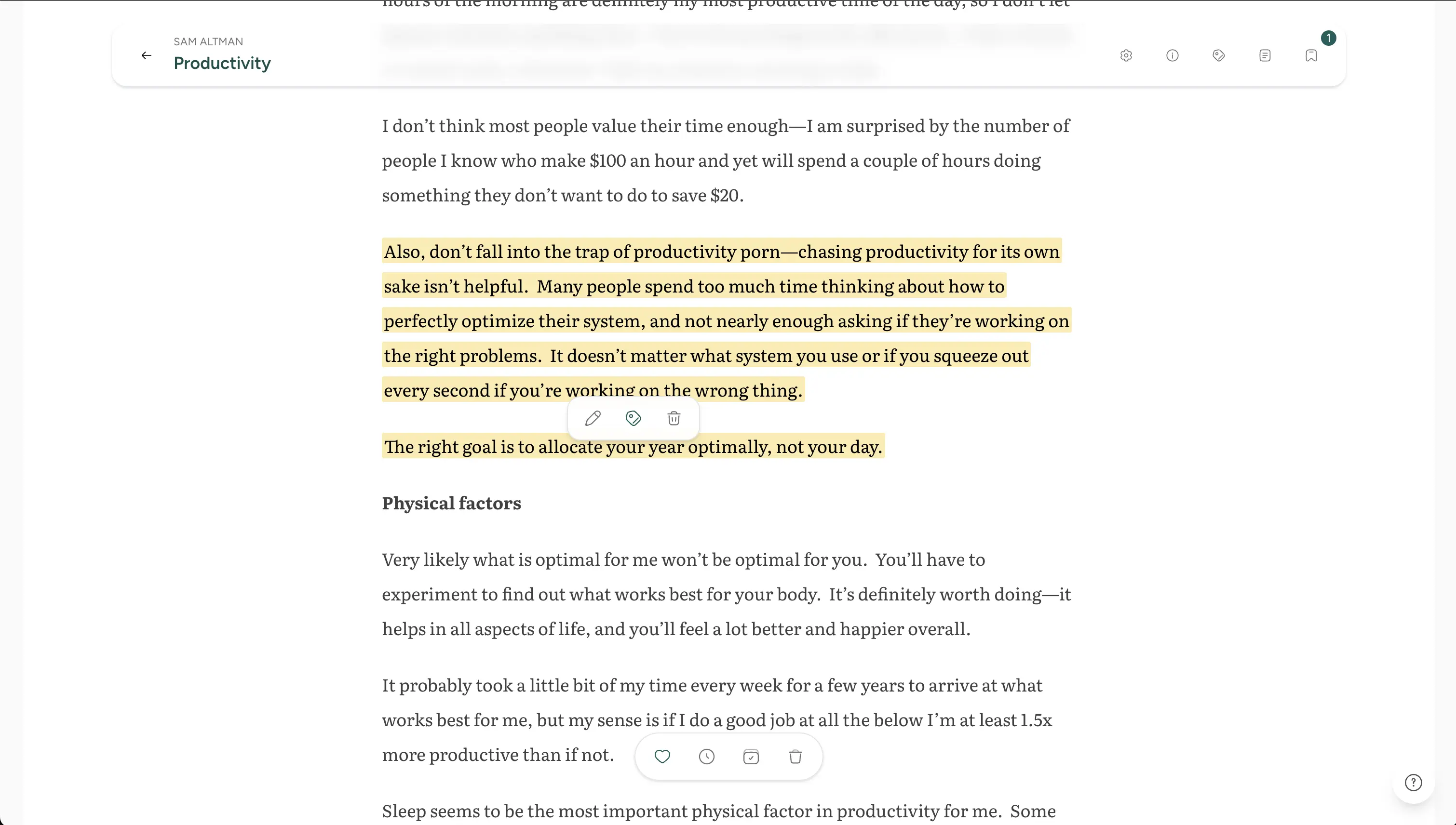
Turn reading into knowledge
The Reader is built to capture ideas at the moment they click:
- One‑click highlights: Select text and save it. It instantly syncs to your Screvi library.
- One‑click highlights: Select text and save it: it instantly syncs to your Screvi library.
- All your highlights together: Article notes live alongside your book highlights, quotes, and saved sources.
- Ready for review: Highlights are available for spaced repetition and AI‑powered search in Screvi.
Designed for deep focus
Designed to remove distractions so reading stays the focus:
- Clean layout and comfortable typography.
- Calm interface that keeps the page front and center.
- Thoughtful controls and keyboard‑friendly interactions.
Getting started
- Open the Reader at
https://app.screvi.com/articles. - Save an article or import from Pocket.
- Read distraction‑free and highlight what matters: your notes will appear in your Screvi library automatically.
That’s it. Your reading and your knowledge base are finally in sync.
What’s next
This is just the beginning. Expect ongoing refinements to reading comfort, import options, and ways to revisit what’s saved.
If you’ve been waiting for a place to read and remember: try the Screvi Reader today.
Try it now: https://app.screvi.com/articles