Top Use Cases for the Screvi MCP
The Screvi MCP connects your library to AI assistants like Claude and ChatGPT. Setup takes 30 seconds (here's how). The harder question is what to actually do with it.
These are the things I use it for every week, with the prompts. Every screenshot below is a real chat against my own library.
1. Search your library by meaning
The obvious one, and still the one I use most. Ask about a topic and Claude runs a semantic search across every book, article, tweet, and video you've highlighted. It finds the idea even when the words don't match.
What have I highlighted about habits? Group by theme, cite the source for each quote.
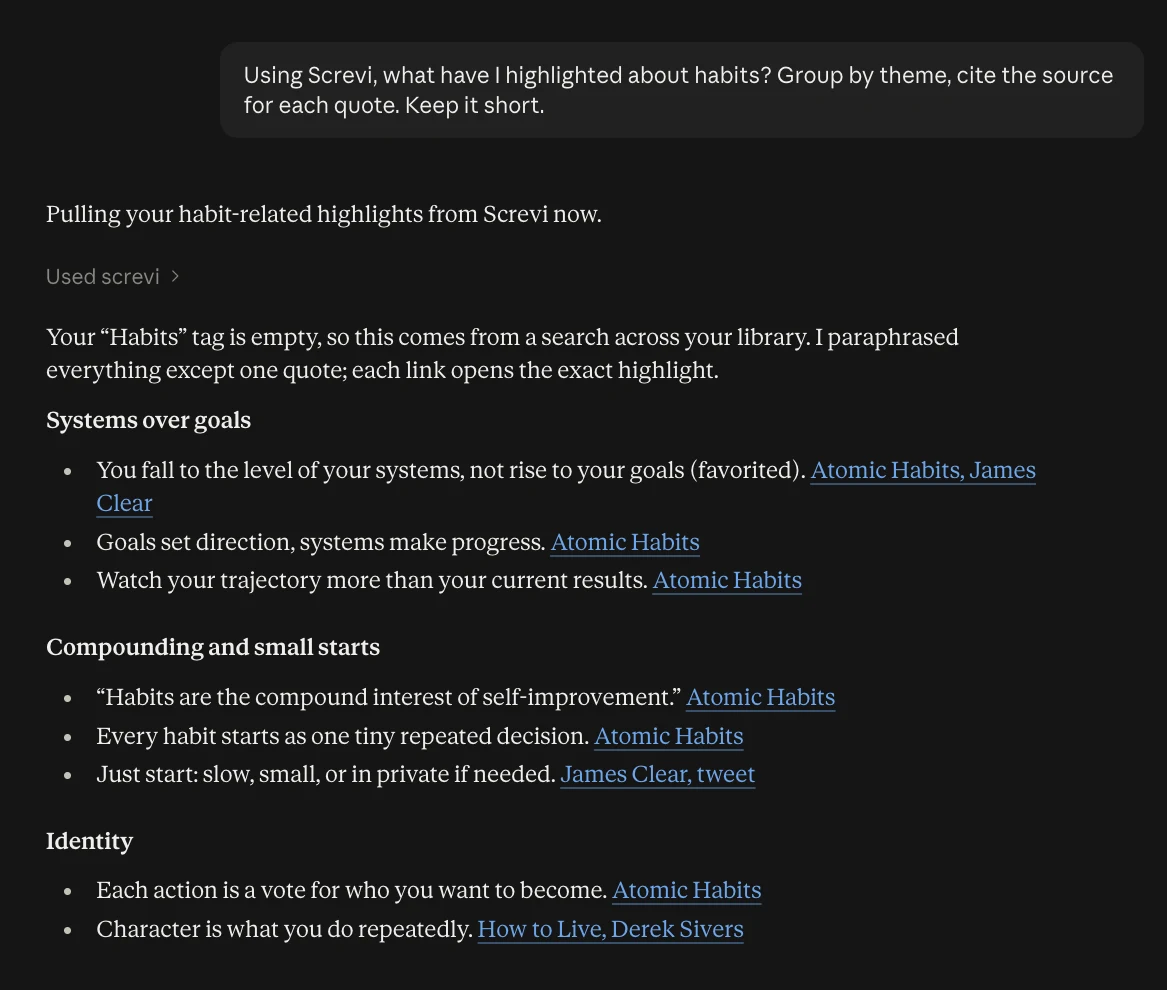
Every quote links back to the highlight in Screvi. These are things you saved, not things the model half-remembers.
2. Talk with an article
Saved a long essay and want the gist before committing? Or read it and want to argue with it? Claude can pull the full text of any saved article, along with your highlights and notes on it.
Pull up "Programming Isn't Special" from my Screvi articles. What's the core argument in three sentences, and what's the strongest counterargument he doesn't address?
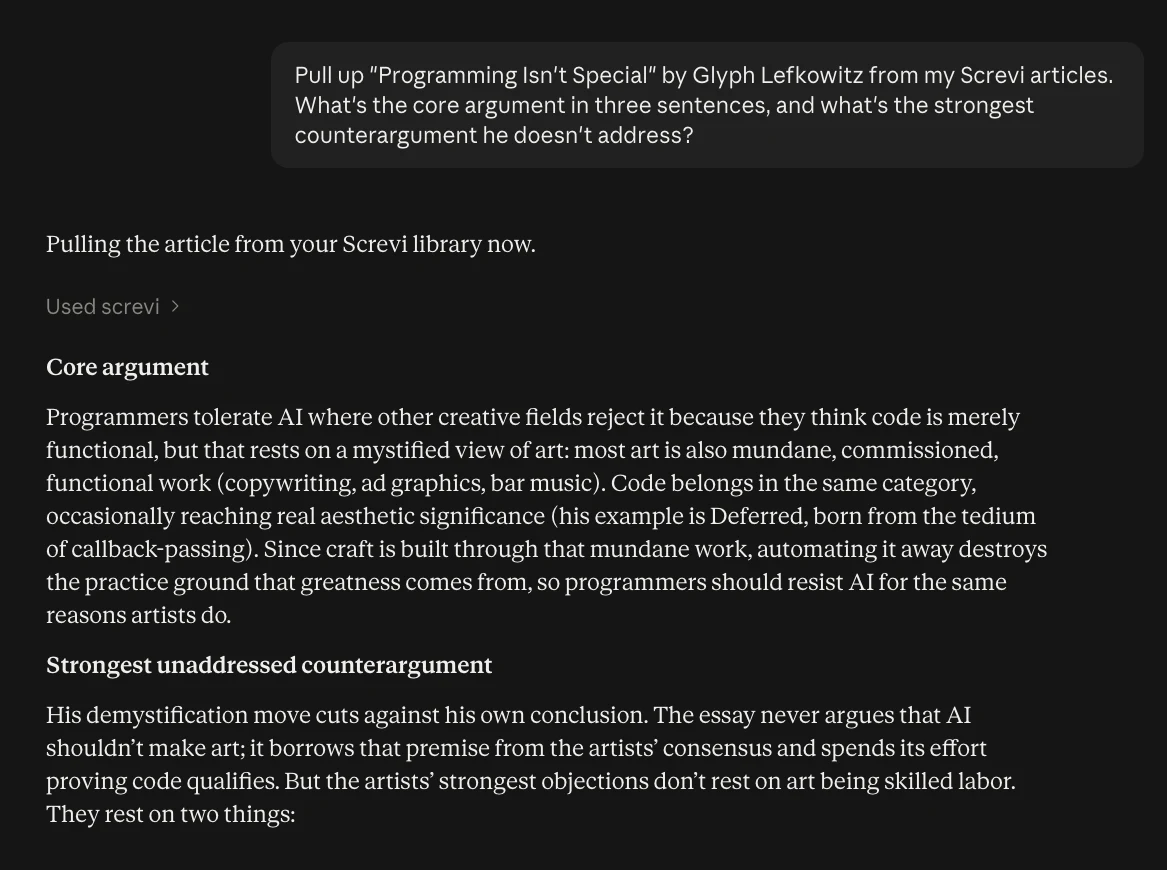
Asking for the counterargument is the part I like. A summary tells you what the article says. A counterargument tells you whether to believe it.
3. Talk with YouTube videos
When you save a YouTube video to Screvi, the transcript comes with it. So a 60-minute video becomes something you can ask questions about.
I saved the 60-minute "Live Mobility Masterclass" video. I don't have an hour. What are the exercises he recommends, in order, with how to do each one?
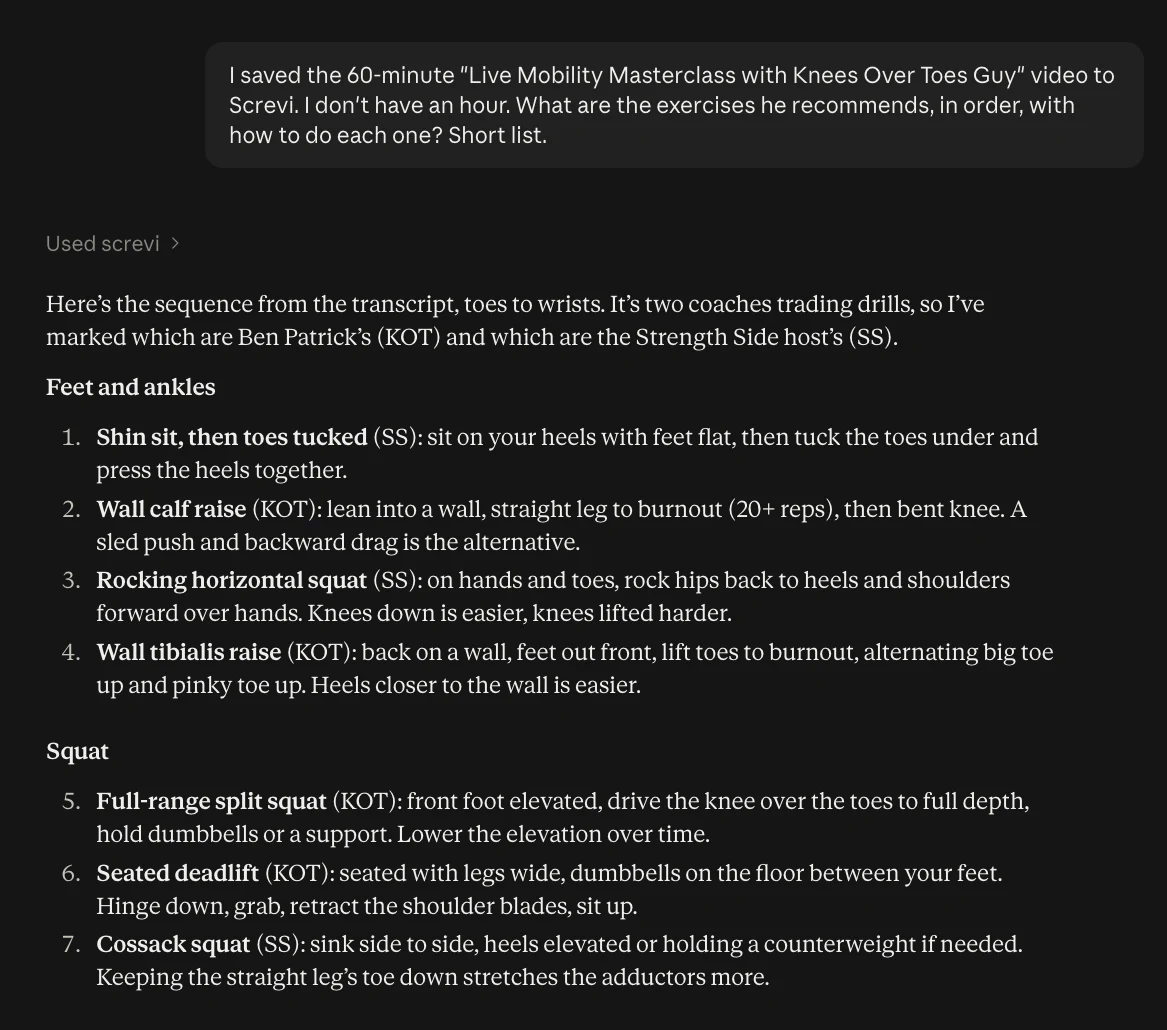
This works best for podcasts, interviews, and tutorials, where the useful part is buried somewhere in the middle. Ask for the three best ideas, the book recommendations, or the one claim worth checking.
4. Triage your articles and newsletters
My inbox had 363 items in it when I wrote this. Most newsletters are worth a glance at best, and a few are worth an evening. Claude can sort them.
Look at the newsletters in my Screvi inbox from the last 3 days. Which 3 are worth reading tonight and why? Which would you archive? Don't change anything yet, just propose.
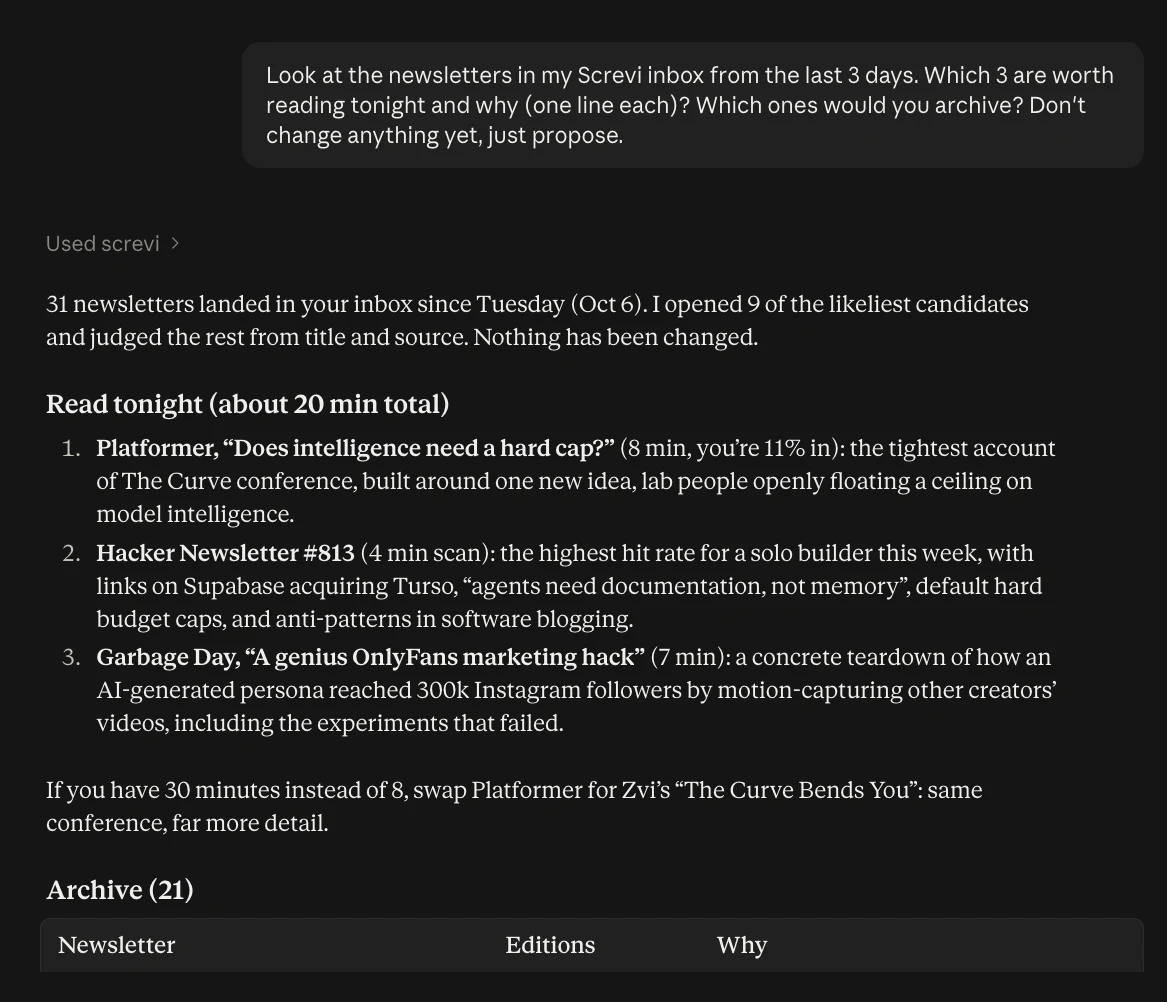
It opened the likeliest ones, read them, and gave me a 20-minute reading list plus a table of 21 to archive. If you approved write access, reply "go ahead" and it archives them for you. You can also move things to Later, mark them read, or favorite the keepers.
There's a built-in triage-inbox prompt that does this in one click in Claude.
5. Find connections between books
Highlights from different books rarely meet. Ask Claude to put them in the same room.
Find 3 pairs of highlights from different sources that disagree with each other about work or ambition. Quote both sides.
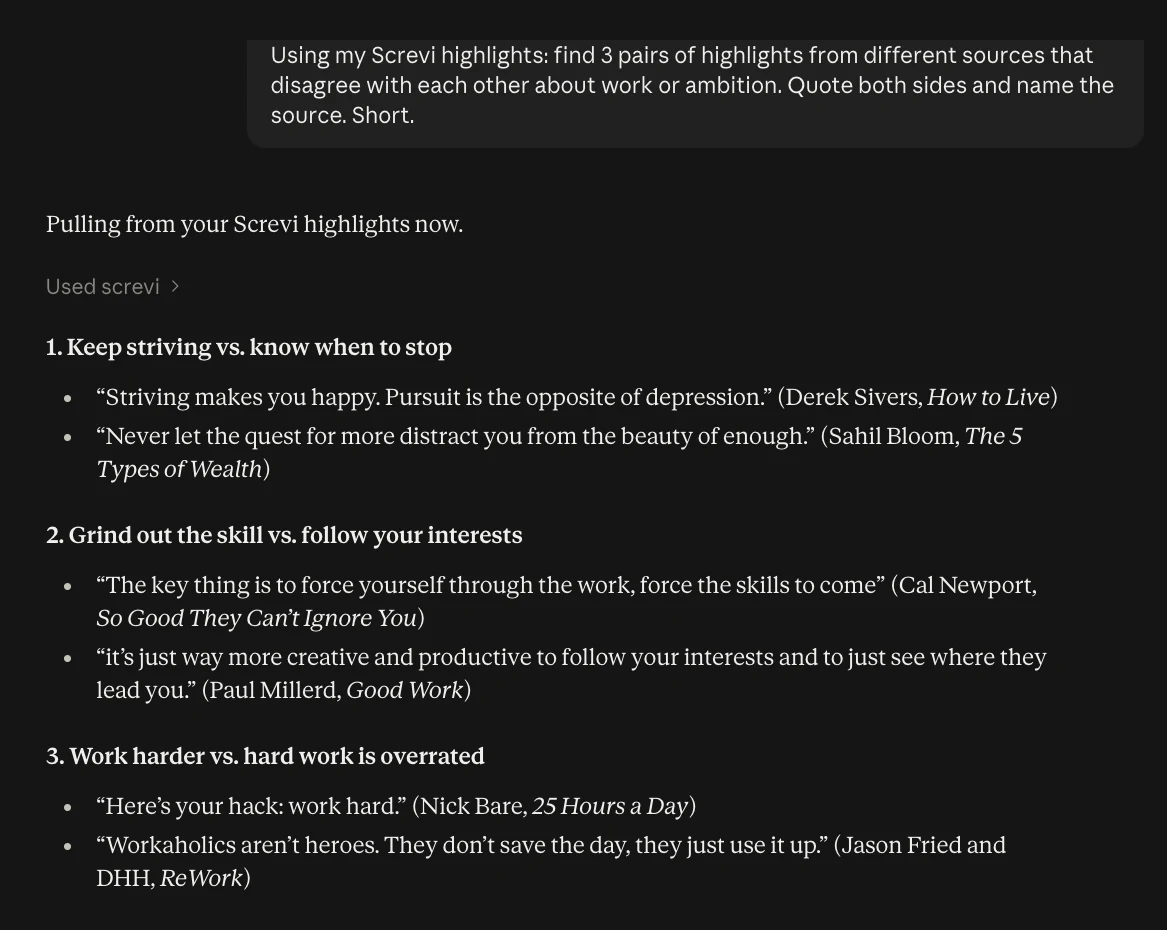
Disagreements are more interesting than agreements. They're where you find out what you actually think. Try it with any theme you read a lot about.
6. Get a weekly recap of what you read
What did I save and highlight in the last 7 days? Group it by theme and tell me what I seem to be thinking about.
You read across a dozen sources in a week and never see them side by side. A recap shows the threads. The weekly-recap prompt does this with one click.
7. Write with your own highlights
This is where years of highlighting pays off. Instead of asking Claude to write about a topic from nothing, ask it to start from what you've already collected.
I'm writing a post about focus. Find my best highlights on it, pick the 5 strongest, and draft an outline that uses them.
Write a short review of Atomic Habits using only my highlights from it.
The ideas, the quotes, and the angle are yours. Claude just helps arrange them. The book-review prompt does the second one for any book in your library.
8. Review and quiz yourself
Screvi's spaced repetition review works in the app, by email, and in the iOS widget. It also works in a chat.
Run today's review. Show me one highlight at a time and ask me a question about each.
Quiz me on what I highlighted from Thinking, Fast and Slow.
Explaining an idea back is a better test than recognizing it. The daily-review and quiz-me prompts are built for this.
9. Save things while you research
When Claude finds something good in a conversation, it can save it straight to your library.
Save this link to my Screvi inbox and tag it "research".
Save that last quote as a highlight on The Psychology of Money, with a note on why it matters.
Your library keeps growing from wherever you're thinking, not just from your Kindle.
10. Tidy up your library
The boring jobs, done in a sentence:
Tag the last ten highlights you showed me as "stoicism".
This article saved as "Untitled". Fix the title.
This article saved with half the text missing. Re-fetch it.
Archive every newsletter in my inbox older than two weeks.
Nothing on the Screvi MCP deletes data. Highlights can only go to the trash, where you restore them in one tap, and every other change can be undone from the app.
Getting started
The Screvi MCP works with Claude (web, desktop, and mobile), ChatGPT, Claude Code, Cursor, and any client that supports remote MCP servers. Add https://api.screvi.com/mcp as a connector, log in, and approve.
See the MCP page for setup in each client, or the docs for every tool and prompt.
If you don't have a Screvi account yet, start a free 14-day trial. MCP is included in every plan.